Smart Baby Monitors and Wall Mounts: How to Choose, Set Up and Use One Safely
How to pick a baby monitor and wall mount safely: what monitors can and cannot do, cord safety, Wi-Fi security, setup tips and advice from health bodies…

On this page
- Key points
- What a smart baby monitor is
- What a monitor can and cannot do
- Safe sleep comes first
- Why wall mounts can help, and where they can go wrong
- Cords: the most serious danger
- Types of monitor compared
- Be careful with health sensors
- Online security: keeping strangers out
- How to choose a monitor
- How to set up a monitor and wall mount safely
- Setup by age
- Advice from health and safety bodies in four countries
- Power and battery safety
- Common mistakes to avoid
- Monitor safety checklist
- Looking after your own wellbeing
- Cleaning and care
- When you no longer need it
- Frequently asked questions
- Final thoughts
- Sources
Short answer: A baby monitor is a helpful extra. It lets you see and hear your baby from another room. It does not make sleep safe, and it cannot stop a tragedy. Safe sleep comes first: baby on their back, in a clear cot, in your room. If you use a camera on a wall mount, keep every cord well out of your baby's reach. Pick a model with strong online security, and set a unique password.
This advice matches what health and safety groups say in Australia (Red Nose and Product Safety Australia), the UK (the Lullaby Trust and RoSPA), the US (the Consumer Product Safety Commission and the American Academy of Pediatrics) and Canada (Health Canada and the Canadian Paediatric Society).
Key points
- A monitor is a tool, not a safety system. It cannot replace safe sleep habits.
- Cords are the big danger. Babies and toddlers can be strangled by monitor cords. Keep cords far away from the cot.
- A wall mount helps. It keeps the camera off the shelf or cot rail. But it must be fixed well and the cord must be out of reach.
- Wi-Fi cameras can be hacked. Use a strong, unique password and keep the software up to date.
- Be careful with health claims. Sensors that claim to track breathing or oxygen are not proven to keep healthy babies safer.
- Check the room too. A monitor shows what the camera sees. It cannot tell you everything.
What a smart baby monitor is
A baby monitor is a camera, a microphone, or both. It sends what it sees and hears to a screen. The screen can be a small parent unit or your phone.
A smart monitor connects to the internet through your home Wi-Fi. This lets you watch from anywhere. It often comes with an app. The app may send alerts when your baby makes a noise or moves.
Some monitors do not use Wi-Fi at all. They link straight from the camera to a parent unit. This is often called a non-Wi-Fi monitor. It has fewer features. But it is harder for a stranger to reach over the internet.
Common features
- Video: a live picture of the cot.
- Night vision: a black and white picture in the dark.
- Two-way talk: you can speak to your baby through the camera.
- Sound and motion alerts: your phone buzzes when something happens.
- Room temperature display: the camera shows the temperature in the room.
- Lullabies and night lights: some models play sounds or glow softly.
- Sleep reports: the app shows when your baby slept and woke.
What a monitor can and cannot do
A monitor can be a real help. It can let you check on a sleeping baby without opening the door. That means fewer wake-ups. It can also ease worry, especially in the early weeks. Many parents sleep better when they can glance at a screen.
But a monitor has limits. You need to know them.
It cannot stop sudden infant death
Sudden infant death is when a baby dies suddenly and there is no clear cause. In Australia, Red Nose leads the work on this. In the UK it is the Lullaby Trust. Both say a monitor does not prevent it. Both say you should follow safe sleep advice first. The US campaign called Safe to Sleep gives the same message.
Researchers at the Children's Hospital of Philadelphia wrote about consumer baby monitors in 2017. They said the monitors have little proven benefit for healthy babies. That does not mean a camera is useless. It means you should not expect it to protect your baby from the biggest risks.
It cannot always see the problem
A camera has a narrow view. A baby can have trouble even when the picture looks calm. A quiet screen does not always mean a safe baby. Pictures can freeze. Wi-Fi can drop. Batteries can run flat. Alerts can arrive late.
It cannot do your safe sleep checks
A monitor will not tell you if the cot has loose bedding. It will not tell you the room is too hot. It will not tell you if a toy has slipped in. You still need to check the cot before every sleep.
Safe sleep comes first
Before you think about gadgets, set up a safe sleep space. The six safe sleep steps from Red Nose are a good start. The advice is very close in the UK, the US and Canada.
- Put your baby on their back to sleep, from birth.
- Keep their head and face uncovered.
- Keep your baby smoke-free before and after birth.
- Use a safe cot with a firm, flat mattress that fits well.
- Keep the cot clear. No pillows, soft toys or loose blankets.
- Sleep your baby in their own cot in the same room as you, day and night, for the first six to twelve months.
That last point matters when you think about monitors. Health groups advise room sharing for a baby's first months. The Lullaby Trust says to keep your baby in the same room as you for the first six months. When you are in the same room, you can see and hear your baby directly. A monitor adds little. It may be more useful later, when your baby sleeps in their own room.
Why wall mounts can help, and where they can go wrong
Many parents put a monitor camera on a shelf or a dresser near the cot. Some clip it to the cot. This brings two dangers. The camera can fall. And the cord can reach the cot.
A wall mount fixes the camera high up on the wall. It looks down on the cot. This gives a clear view. It also keeps the camera out of reach.
What a good mount does
- It holds the camera still, so the picture stays steady.
- It keeps the camera off the cot and off low shelves.
- It gives a wide view of the whole cot, not just one corner.
- It can be moved as your baby grows.
Where mounts go wrong
- The cord is still a danger. A mount can hold the camera, but the power cord must still reach a socket. A loose cord can hang down into reach.
- The mount is loose. Screws that are not fixed into a solid wall or stud can pull out. The camera could fall onto the cot.
- It sits too close to the cot. A baby who pulls up to stand can reach things higher than you expect.
- Sticky pads fail. Adhesive strips can let go in heat or over time. Check them often.
Baby Monitors worth a look
Real products from our catalogue. We don't show star ratings or review counts; check the current price, stock and reviews on Amazon before you buy.


Eufy Baby Monitor E20
A monitor that works with or without Wi-Fi. You can share the app with up to 5 family members.
Read our full review →
Eufy Baby Monitor E21
The step-up Eufy monitor. It works with or without Wi-Fi and shares with up to 5 people.
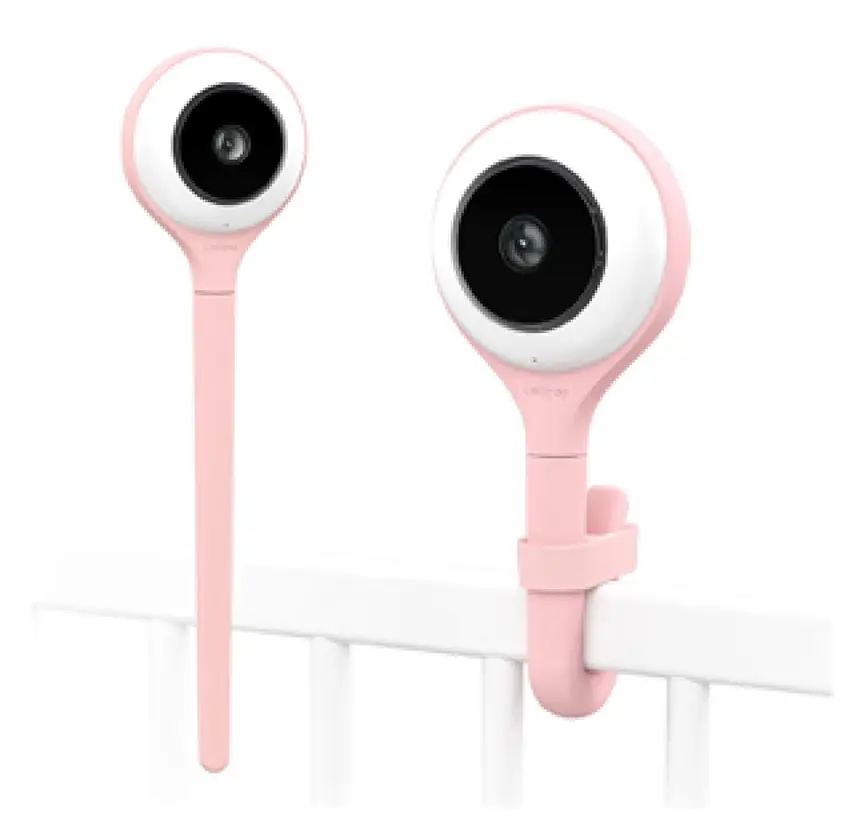
Lollipop Smart Baby Camera
A Wi-Fi camera with AI cry, noise and crossing alerts and 1080p video.
Cords: the most serious danger
The US Consumer Product Safety Commission (CPSC) has warned about this for years. Its publication says infants and toddlers can strangle in baby monitor cords. It has also reported strangulation deaths linked to video monitors with cords. One of these led to a recall of a video monitor in 2011.
Cords look harmless. But a baby can grab one, pull it into the cot and wrap it around their neck. This can happen fast and quietly.
Simple cord rules
- Keep all monitor cords well out of reach of your baby and the cot. The CPSC advice is at least about one metre (three feet) away.
- Never put a cord on or inside the cot.
- Never hang a camera or its cord from the cot rail.
- Never use a longer cord or an extension cord to bring the camera closer to the cot.
- Run the cord behind furniture, or inside a cord cover fixed to the wall.
- Check the cord each week. Look for damage, and look for slack.
- Take the parent unit cord out of the room, or keep it far from the cot.
Blind and curtain cords are another danger in the same room. Product Safety Australia, the ACCC, the CPSC and others all warn about them. Keep the cot away from windows. Tie up or remove loose cords.
Types of monitor compared
Here is how the main types compare. No type is best for everyone. Pick the one that fits your home and how you will use it.
| Type | How it works | Good points | Things to watch |
|---|---|---|---|
| Audio-only monitor | Sends sound from the baby's room to a parent unit | Simple, low cost, no picture to hack | You cannot see your baby |
| Video monitor, no Wi-Fi | Camera links straight to a parent screen | Not on the internet, works in a power cut if the unit has a battery | Limited range, fewer features |
| Wi-Fi camera with app | Camera sends pictures over the internet to your phone | Watch from anywhere, share with family, many extras | Needs strong security, stops if Wi-Fi drops |
| Camera with a wall mount | Camera fixed high on the wall, looking down | Clear overhead view, camera out of reach | Cord must be hidden, mount must be fixed well |
| Monitor with body sensors | Tracks breathing, heart rate or oxygen | Gives data some parents like | Not proven to protect healthy babies, can give false alarms |
Be careful with health sensors
Some products say they track a baby's breathing, heart rate or oxygen level. They may be a sock, a clip, a mat or a camera that watches body movement. These claims can sound very reassuring. But you should be careful.
In 2018, researchers tested two popular home pulse oximetry monitors. These were sold to parents for babies. The study was published in the journal JAMA. It found problems with how well the devices worked. The study said parents should not trust them to tell them their baby was well.
The Children's Hospital of Philadelphia has also said there is little proof these products help healthy babies. False alarms can cause a lot of stress. A false sense of safety is also a risk. A parent may feel they can relax the safe sleep rules. That would be a mistake.
If your baby has a medical condition, your doctor may suggest a medical monitor. That is different. A doctor will tell you what to use and how to use it. Do not buy a medical-style monitor for a healthy baby and hope it protects them.
Questions to ask about any health claim
- Is the claim backed by a health body, or only by the company?
- Does the box say it can prevent sudden infant death? If so, do not trust it. No product can.
- Has it been tested on babies by independent researchers?
- Does it send false alarms that might stop you sleeping or make you panic?
Online security: keeping strangers out
A Wi-Fi camera in your baby's room is a private thing. You want to be sure no one else can watch. Most cameras are safe when set up well. But some have been hacked. Here is what government bodies say.
- Canada: the Government of Canada's Get Cyber Safe campaign has tips for baby gear that connects to the internet.
- Australia: the Department of Home Affairs has security standards for smart devices. They are a guide to what good security looks like.
- UK: the government has security rules for smart devices. Makers must meet rules such as not using easy default passwords.
- US: the Federal Communications Commission runs a Cyber Trust Mark. It is a label for smart devices that meet certain security goals.
Steps to protect your camera
- Change the default password. Pick a long, unique one. Do not reuse a password from another account.
- Turn on two-step sign-in if the app offers it.
- Update the software. Install updates when the app asks. They fix known problems.
- Secure your home Wi-Fi. Use a strong Wi-Fi password. Change the router's default login too.
- Share carefully. Only invite people you trust. Remove old users, such as a former babysitter.
- Turn the camera off or cover the lens when you do not need it.
- Check who made it. Buy from a maker that says how long it will give security updates.
- Read the privacy rules. See where your video is stored and who can view it.
If you ever hear a strange voice from the camera, or see it move on its own, act fast. Unplug it. Change your passwords. Update the device. Contact the maker.
How to choose a monitor
Use this list when you shop. Do not pay for features you will never use.
1. Decide what you really need
Think about your home. A small flat may need nothing more than a baby's cry carrying down the hall. A large house, or a baby sleeping far from you, may call for a video monitor.
2. Picture and night view
Look for a clear picture in a dark room. Check that the camera shows the whole cot. A wide view helps. Read independent reviews to see how it performs.
3. Sound quality
Good sound matters as much as the picture. You want to hear a small cry. Some models let you set how loud a noise must be before an alert.
4. Range and signal
A non-Wi-Fi monitor has a limited range. Walls and floors cut the signal. A box that claims a long range in open air may reach far less in a real home.
5. Power and battery
Think about what happens in a power cut. A parent unit with a battery will keep going for a while. A Wi-Fi camera needs both power and internet. It will stop if either one goes.
6. Security
Look for a maker that talks about security. Check for password rules, updates and data storage. A very cheap unknown brand may skip these.
7. Wall mount fit
Check that the mount works with your camera. Check that the camera can tilt. Read how the mount is fixed. Does it need screws? Do you have the right wall? If you rent, ask your landlord first. Some mounts use sticky strips. Check how well they hold.
8. Support and recalls
See if the maker has a way to contact them. Check recall lists before you buy and from time to time after. In Australia, use Product Safety Australia's recall page. In Canada, use Health Canada's recalls and safety alerts. In the UK, check the Office for Product Safety and Standards. In the US, check the CPSC.
How to set up a monitor and wall mount safely
- Pick the spot first. Choose a wall that gives a clear view of the whole cot. Stand where your baby's head will be. Imagine the picture.
- Find a power outlet. It should be far from the cot. If it is not, think again about the spot.
- Plan the cord route. Decide how the cord will run along the wall. It should go behind furniture or inside a cord cover.
- Find a stud or use the right fixings. Use screws and wall plugs that suit your wall type. Follow the maker's steps. If you are not sure, ask a handy person or a tradesperson.
- Fix the mount. Pull on it hard. It should not move.
- Attach the camera. Make sure it clicks in or locks in place.
- Do a reach test. Stand in the cot or on a stool where a standing child would be. Can you touch the camera or the cord? If yes, move it.
- Test it at night. Check the picture and the sound in a dark room.
- Set the security. Change the password and turn on updates before you go live.
- Check it often. Look at the mount and cord every week. Look sooner if you hear a knock or a rattle.
Setup by age
What you need changes as your baby grows. The table shows how a monitor and mount fit each stage.
| Age (roughly) | What is happening | What to do with the monitor |
|---|---|---|
| Newborn to about 6 months | Baby sleeps in your room | Follow safe sleep advice. A monitor is not needed when you can see and hear your baby. If you use one, keep it simple. |
| 6 to 12 months | Some babies move to their own room. Rolling starts. | A monitor may help. Check the cord is out of reach. Check the camera view as your baby moves around. |
| 12 months to 2 years | Baby can stand and pull up | Move the camera higher if needed. Recheck the reach test. Watch for climbing. |
| 2 to 3 years | Toddler may climb out of the cot | The camera can show if your child climbs. Keep the cord and mount out of reach. Plan the move to a bed. |
Side by side: more baby monitors to compare
Real products from our catalogue. We don't show star ratings or review counts; check the current price, stock and reviews on Amazon before you buy.
 Reviewed
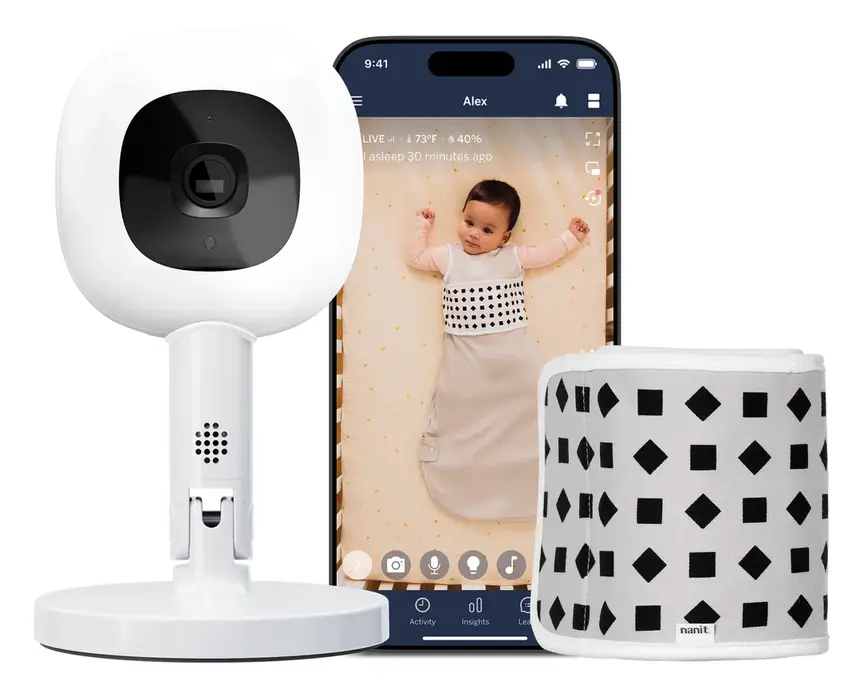
Nanit Pro Camera
Overhead 1080p Wi-Fi camera that tracks sleep and — with patterned Breathing Wear — breathing motion, without any electronics on the baby.
Read our full review →
VTech RM5764HDV2 Smart HD Pan and Tilt Baby Monitor
Smart video monitor
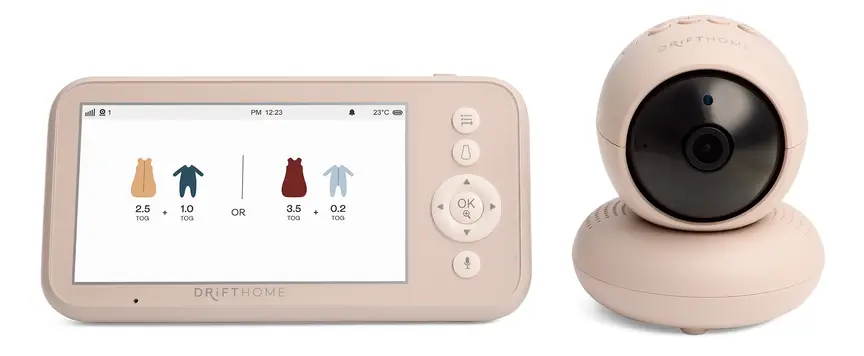
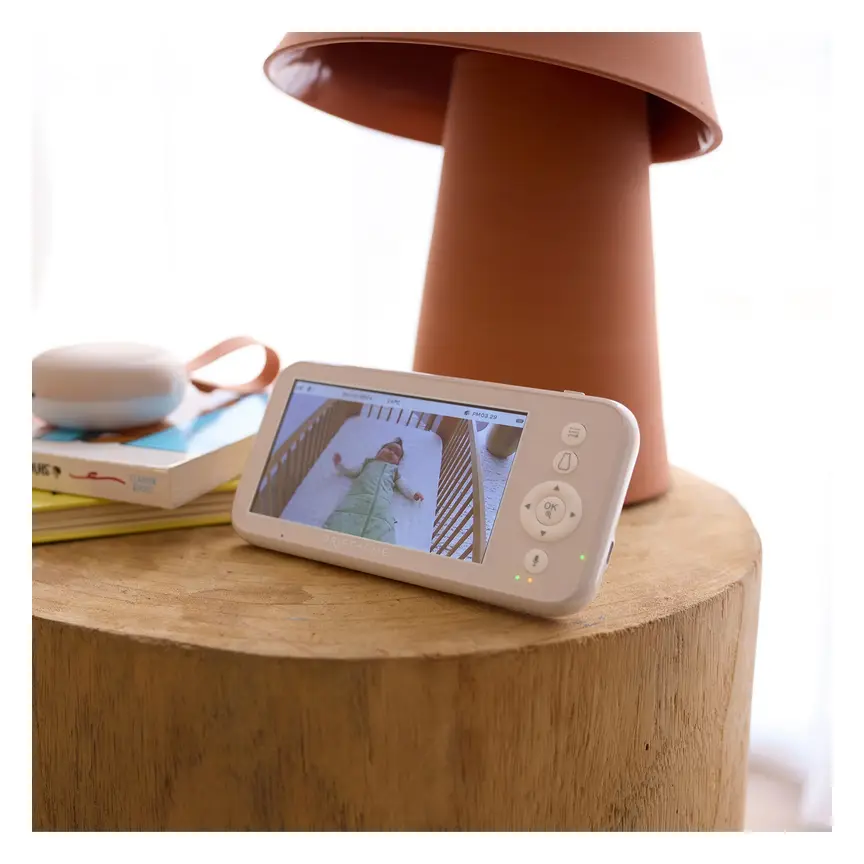
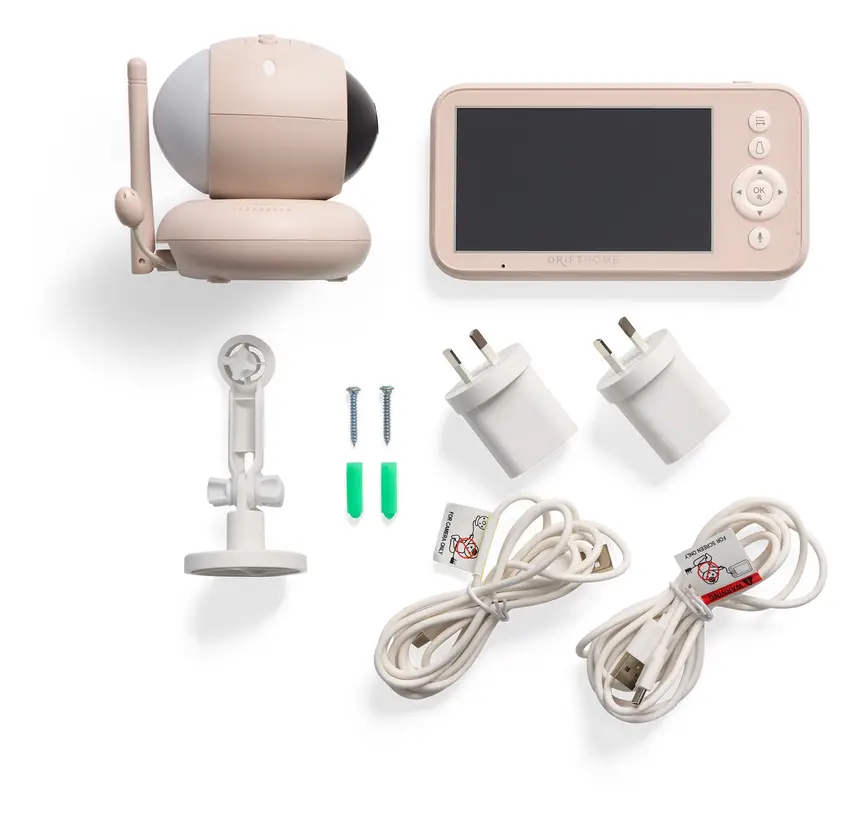
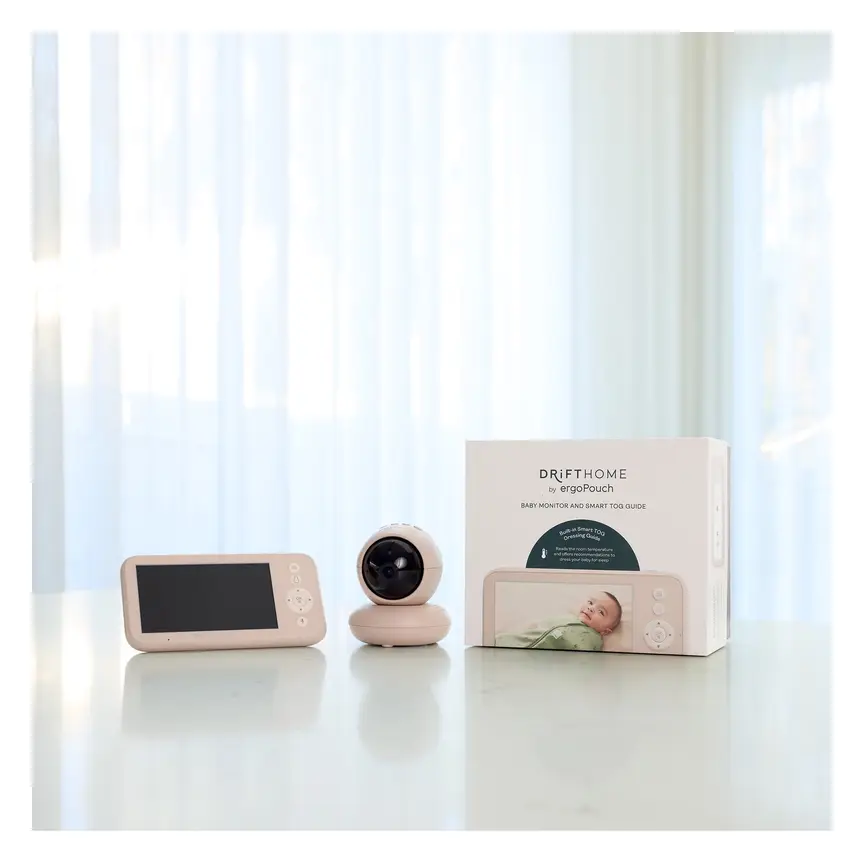

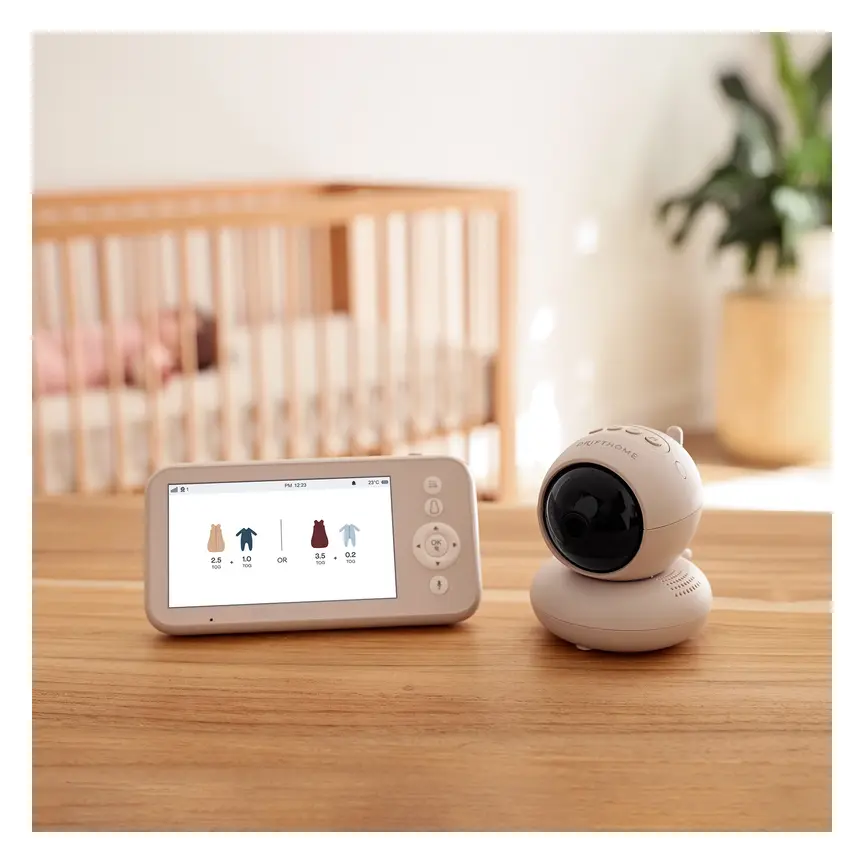
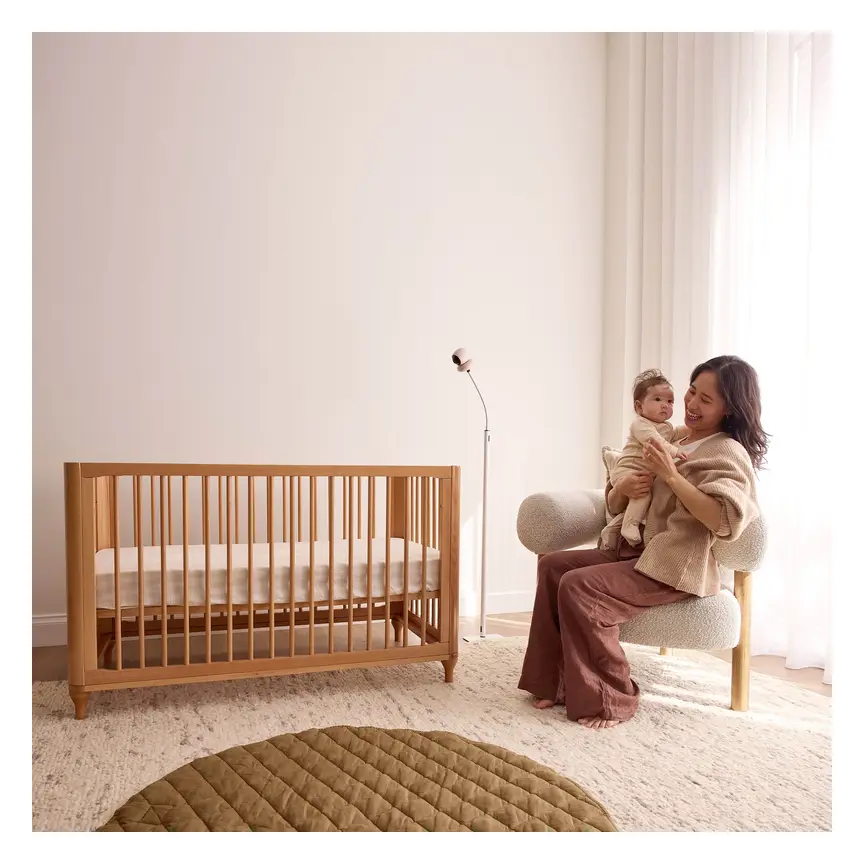

ergoPouch Drifthome Baby Monitor
A non-Wi-Fi monitor with a built-in TOG dressing guide and up to 300 m range.
Read our full review →
Oricom Babysense7 Breathing & Movement Monitor
A sensor pad listed as a medical device on the Australian Register of Therapeutic Goods. It sounds an alarm if it stops sensing breathing movement.
Advice from health and safety bodies in four countries
The main messages are close in every country. Here is who says what.
| Topic | Australia | UK | US | Canada |
|---|---|---|---|---|
| Monitors and safe sleep | Red Nose has a page on baby monitors | The Lullaby Trust has a page on baby monitors | The Safe to Sleep campaign and the American Academy of Pediatrics give safe sleep advice | Caring for Kids (Canadian Paediatric Society) gives safe sleep advice |
| Cords | Product Safety Australia warns about cords in the home | RoSPA and the Office for Product Safety and Standards give home safety advice | The CPSC warns that monitor cords can strangle babies | Health Canada runs recalls and safety alerts |
| Online security | Department of Home Affairs smart device guide | UK Government rules for smart device security | FCC Cyber Trust Mark | Get Cyber Safe, Government of Canada |
| Recalls | Product Safety Australia recalls | Office for Product Safety and Standards | CPSC recalls | Health Canada recalls |
| Safe sleep position | On the back | On the back | On the back | On the back |
The Lullaby Trust says monitors should not be used in place of safe sleep habits. Red Nose says the same. In the US, the CPSC focus is the cord. In Canada, the government focus is on cyber safety. Read all of them if you can.
Power and battery safety
A monitor has a power supply. It may also have a battery. Both need care.
- Use the cord that came with it. Do not swap in a different charger.
- Do not cover the camera with cloth or a blanket. It can overheat.
- Charge parent units away from the cot and on a hard surface, not on a bed or sofa.
- Stop using a damaged battery. If it swells, leaks or gets very hot, stop. Contact the maker.
- Look out for button batteries. Some remotes and small gadgets use small round batteries. If a child swallows one, it is an emergency. Product Safety Australia has a guide. Fire and Rescue NSW also has tips on lithium-ion battery safety. Keep spare batteries locked away.
If you think a child has swallowed a button battery, go to a hospital emergency department straight away. In Australia you can also call the Poisons Information Centre. Do not wait for signs.
Common mistakes to avoid
- Trusting the monitor over safe sleep. A monitor does not make a risky sleep space safe.
- Leaving the cord within reach. This is the most serious mistake.
- Using a sticky mount on a dirty or painted wall. It may not hold. Follow the maker's steps.
- Keeping the default password. This makes a hack more likely.
- Using a shelf or cot rail clip. The camera can fall or the cord can drop into the cot.
- Using sensors to decide when to worry. Always trust what you see and hear. If something seems wrong, go to your baby.
- Checking all night. Constant checking can make you more tired and anxious. Try to set times for checks, or only check when an alert goes off.
- Buying very cheap, unknown brands. They may skip safety checks or security updates.
- Not checking recalls. A monitor can be recalled after you buy it. Check from time to time.
- Moving the cot but not the camera. After you move the cot, redo the cord and reach checks.
Monitor safety checklist
| Do | Don't |
|---|---|
| Follow safe sleep steps every time | Think a monitor can prevent sudden infant death |
| Fix the mount firmly into the wall | Stand a camera on a shelf next to the cot |
| Keep all cords well out of reach | Let a cord hang down or lie in the cot |
| Use the power supply that came with it | Use a long extension cord near the cot |
| Set a strong, unique password | Keep the default login |
| Update the software | Ignore update messages |
| Check the mount and cord each week | Set it up once and forget it |
| Check recall pages now and then | Assume a product on sale is always safe |
| Go to your baby if anything seems wrong | Wait for an alert to confirm it |
Looking after your own wellbeing
New parents worry a lot. That is normal. A monitor can ease some worry. But it can also feed it. Watching a screen all night is tiring.
Some tips may help:
- Set the screen so it dims. A bright screen near your bed can keep you awake.
- Turn off alerts you do not need.
- Decide when you will check. For example, only when you hear a cry.
- Share night checks with a partner when you can.
- If worry feels too big, talk to your child health nurse, doctor or midwife. In Australia, you can also call a parent helpline. Your local services in other countries can help too.
Cleaning and care
- Unplug the camera before you clean it.
- Wipe with a soft, dry or slightly damp cloth. Do not spray liquid into it.
- Keep dust off the lens. A dirty lens makes a poor night picture.
- Check the mount screws now and then. Tighten them if they have loosened.
- When you stop using the monitor, wipe its data. Reset it before you sell or give it away.
When you no longer need it
Most families use a monitor for a few years. When your child no longer needs it, take it down. Remove the mount and fill any holes. Do not leave a camera on the wall with the cord loose. Reset the camera and delete the account if you will not use it. Recycle the electronics at a proper collection point. Do not put batteries in the normal bin.
More options, from budget to premium
Real products from our catalogue. We don't show star ratings or review counts; check the current price, stock and reviews on Amazon before you buy.

 Reviewed
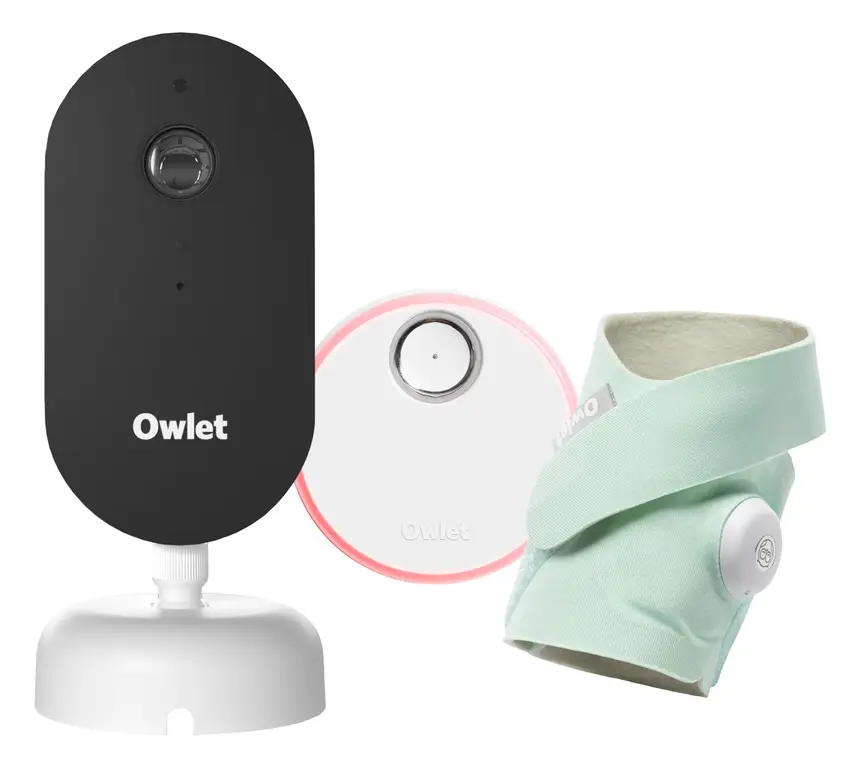
Owlet Dream Duo 3
A 2K camera plus the Dream Sock sensor that tracks pulse rate and oxygen. Like all monitors, it cannot prevent SIDS or SUDI.
Read our full review →
VTech BM2220 Digital Audio Baby Monitor
A low-cost sound-only monitor with two-way talk, a room temperature sensor and a night light.
Frequently asked questions
Do I need a baby monitor?
No. You do not need one. Health groups say a baby should sleep in your room for the first months. In that case you can see and hear them yourself. A monitor can be useful when your baby sleeps in their own room. It is a choice, not a must.
Can a monitor stop sudden infant death?
No. Red Nose, the Lullaby Trust and the US Safe to Sleep campaign all say safe sleep steps matter most. No product can prevent sudden infant death. Be wary of any ad that says it can.
Is a wall mount safer than a shelf?
Often yes, if it is fixed well. A mount keeps the camera out of reach and gives a clear view. But the cord is still a risk. Run it so your baby cannot reach it. A shelf or cot rail clip can make the cord danger worse.
How far should a monitor cord be from the cot?
The US Consumer Product Safety Commission says to keep cords well out of reach, at least about one metre (three feet) from the cot. Never put a cord in the cot. Never use an extension cord to bring a camera closer.
Can a Wi-Fi baby monitor be hacked?
It can happen. Weak or default passwords are the most common problem. Use a strong, unique password. Update the software. Use a secure home Wi-Fi network. If you want less risk, choose a monitor that does not use the internet.
Should I buy a monitor that tracks breathing or oxygen?
Be careful. Studies have raised doubts about how well home devices work. Experts say there is little proof they help healthy babies. They can also cause false alarms. If your doctor suggests a medical monitor for your baby, follow their advice. Otherwise do not rely on a gadget for safety.
Is it safe to leave my baby alone because I have a monitor?
A monitor does not replace being close. Wi-Fi can drop. Batteries can fail. A camera only shows part of the room. Use it as a helper, and be ready to go to your baby at any time.
How often should I check the mount?
Check the mount and cord once a week. Pull gently on the mount to see if it moves. Look at the cord for damage. Check after any bump or if you hear a rattle.
What should I do if my monitor is recalled?
Stop using it. Follow the recall steps from the maker or the regulator. Recall lists are kept by Product Safety Australia, Health Canada, the UK Office for Product Safety and Standards, and the US CPSC.
Final thoughts
A smart baby monitor with a wall mount can be a good tool. It can give you a clear view of the cot and save you trips down the hall. It can bring some calm in the first months.
But it cannot do the work of safe sleep. Put your baby on their back in a clear cot. Keep cords far from reach. Set strong passwords. Trust your own eyes and ears. If something feels wrong, go to your baby.
If you ever worry about your baby's health, call your doctor or child health nurse. In an emergency, call your local emergency number straight away.
This guide is general information. It is not medical advice. Always read the maker's instructions and check current advice from your national health body.
Sources
- Red Nose Australia – Baby monitors
- The Lullaby Trust (UK) – Baby monitors
- Children's Hospital of Philadelphia – Consumer baby monitors have little proven benefit for healthy infants (2017)
- JAMA – Accuracy of two consumer infant pulse oximetry monitors (Bonafide et al., 2018)
- U.S. Consumer Product Safety Commission – Infants and toddlers can strangle in baby monitor cords (Publication 5066)
- Get Cyber Safe (Government of Canada) – Cyber security tips for your baby gear
- Australian Department of Home Affairs – Security standards for smart devices
- UK Government – Security rules for smart devices (PSTI)
Related guides
More Gadgets & Electronics →
Smart Baby Monitors: How They Help, Their Limits, and How to Use Them Safely

Smart Baby Monitors: How They Work, What Experts Say, and How to Use Them Safely
Smart 2K Wi-Fi vs 2.4GHz FHSS Baby Monitors: Safety, Privacy and How to Choose