














Educational Electronics for Toddlers: How to Choose and Use Them
Choose toddler learning toys and apps with care. Compare screens, electronic toys and simple play, with practical safety and screen-time advice for families.
On this page
- What counts as educational electronics?
- What toddlers learn through play
- Choosing a toy, app or device
- Comparing common choices
- Screen time and shared use
- Age stages: follow skills and interest
- Safety checks for electronic toys
- Privacy and connected toys
- How to make play more useful
- Common mistakes to avoid
- Safety guidance in Australia, the UK, the US and Canada
- When to ask for help
- Frequently asked questions
- Sources and further guidance
- Sources
Short answer: Toddlers can learn from many kinds of play. A screen or electronic toy is only one option. Choose products that suit your child’s age, have simple controls, and allow an adult to join in. Check for small parts, loose battery covers, loud sounds and unsafe online features. Keep screens limited, choose calm content, and make time for talk, movement, books and pretend play.
This guide helps families compare electronic toys, apps and ordinary toys. It does not recommend particular brands or claim that a product will make a child smarter. No toy can replace a caring adult, conversation, sleep, active play or medical advice.
What counts as educational electronics?
Educational electronics include toys and devices that use power to make sounds, lights, pictures or responses. Examples include talking toys, musical toys, child-focused tablets, learning apps and electronic books. Some products connect to the internet. Others work without a connection.
The word “educational” on a box does not prove that a toy teaches well. A product may ask a child to press a button, match a shape or listen to a song. Those actions can be enjoyable. They do not automatically build a lasting skill.
Learning also happens with ordinary objects. A child can sort socks, stack blocks, turn pages, sing, help wash vegetables or pretend with toy animals. These activities can support talking, movement, memory and problem-solving. They do not need batteries or a screen.
Look at what your child actually does. Do they make choices, talk, move, explore and repeat an activity? Or do they mostly watch and tap? The first pattern gives you more chances to talk and play together.
What toddlers learn through play
Children learn by trying things and seeing what happens. When a toddler drops a block, they notice the sound and movement. When they stack two blocks, they test balance. When an adult names the blocks, the child hears new words.
A simple toy can support several kinds of play. A toy cup can be filled, emptied, stacked or used in pretend tea. A shape sorter can invite matching and hand movement. A musical toy can prompt dancing, listening and taking turns.
Some electronic toys add lights, songs or spoken prompts. These features may hold a child’s interest. They can also distract from the play itself. A toy that speaks every few seconds may leave little room for the child to talk or imagine.
There is no need to make every play session a lesson. Toddlers benefit from free play and shared attention. Follow your child’s interest. Name what they notice, wait for their response, and give them time to try again.
Choosing a toy, app or device
Start with your child, not the product description. Think about what they enjoy, what they can do now, and what makes play easier. A toy should be safe for their age and ability. Age labels are useful, but they do not replace adult judgement.
Match the activity to your child
For a young toddler, simple cause and effect may be enough. They might press one large button and hear one sound. Older toddlers may enjoy matching, pretend play or short stories. Children develop at different rates, so choose based on what your child can use safely.
Look for activities with more than one possible response. A toy that allows a child to choose, build or invent can stay interesting longer. A device that only rewards fast tapping may offer little room for conversation or creative play.
Check the instructions and age label
Read the age range and warnings before buying. Check whether the toy contains parts that could come off. A child who still mouths objects needs toys made for that stage. Keep toys for older children away from younger siblings.
Follow the maker’s instructions for charging, cleaning and battery changes. Keep the instructions or take a photo of them. Check the product and battery compartment from time to time for cracks, loose screws or damage.
Look for useful play, not big promises
Be cautious with claims that promise a head start, higher intelligence or guaranteed school success. A product label cannot show that a toy will cause those results. Prefer plain descriptions of what a child can do with the product.
Ask whether the toy invites your child to think, speak, move or make choices. A toy does not need to teach letters or numbers to be useful. Pretend play, songs, stories and everyday tasks can all give children ways to learn.
Consider how it fits your home
Think about where the toy will be used and stored. A tablet may need a safe charging place. A noisy toy may not suit a shared room. A toy with many parts may be hard to keep away from a crawling baby.
Check the cleaning instructions. Children may put toys in their mouths or spill food on them. Do not soak an electronic toy unless its instructions say that it is safe. Unplug it before cleaning, and let it dry fully before use.
Comparing common choices
Each type has strengths and limits. The right choice depends on your child, your home and the way you use it. None is needed for every family.
| Choice | What play can look like | Things to check | Ways an adult can join |
|---|---|---|---|
| Simple non-electronic toy | Stacking, sorting, building or pretend play | Age label, small parts, damage and cleaning needs | Name objects, take turns and ask what happens next |
| Electronic toy | Pressing a button, listening to a song or trying a response | Battery cover, sound level, cords, heat and loose parts | Copy the sound, sing together or take turns pressing |
| Electronic book or audio story | Listening, turning pages and looking at pictures | Volume controls, charging needs and age fit | Point to pictures, name things and talk about the story |
| App on a shared device | Watching, tapping, drawing or matching | Ads, in-app purchases, privacy, links and screen use | Sit nearby, talk about what appears and stop together |
| Child-focused tablet | Several apps, songs, stories or games | Parental settings, charging, internet access and sturdy storage | Choose one activity and take turns responding |
This table is a guide, not a ranking. A simple toy may be the best fit on one day. A short shared app activity may suit another moment. Your child’s safety and interest matter more than a feature list.
Screen time and shared use
A screen can show pictures, songs, stories or games. It can also keep a child still and quiet for a while. That does not make it a full replacement for play with people or objects.
Australia’s Raising Children Network advises families to limit screen use for young children and to choose suitable content. The Canadian Paediatric Society also provides guidance on screen use for preschool children. Their advice reflects the value of real-world play, sleep and time with caregivers.
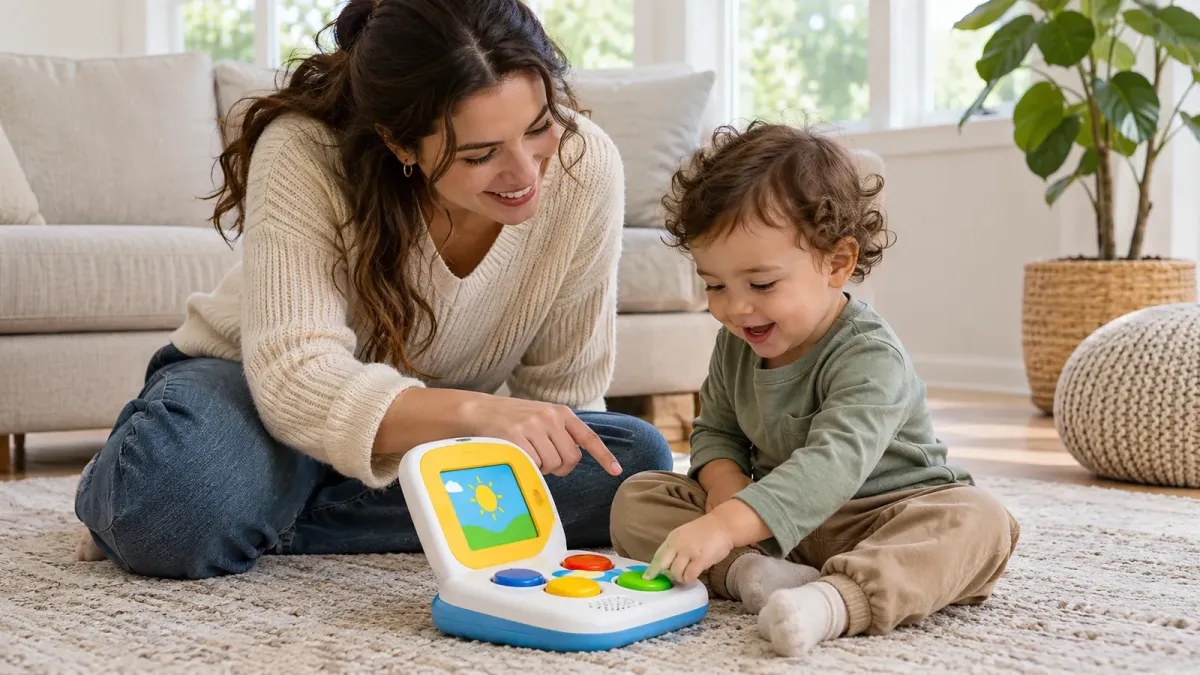
For toddlers, use screens with a clear purpose and an adult nearby. Watch or play together when you can. Talk about what you see. Pause to let your child answer, point or copy an action. A screen used together gives more chances for conversation than a child watching alone.
Keep screens away during meals and before sleep when they interfere with family routines. Avoid using a screen as the only way to calm a child. Try comfort, a quiet activity, a snack or a change of scene when those suit the moment.
There is no need to feel guilty if a screen helps during a difficult moment. What matters is the pattern across the day. Make room for active play, books, rest, outdoor time and warm conversation too.
Choosing an app or video
Preview an app or video before handing over the device. Check whether it includes ads, links, purchases or chats. A toddler may tap a prompt without knowing what it does. Use parental controls where available, and keep payment details out of reach.
Choose content that is calm, clear and suitable for your child’s age. Look for a simple activity your child can understand. Stop if the content frightens, upsets or overwhelms them. Avoid leaving a device on autoplay, since the next clip may not suit your child.
Do not assume a popular or highly rated app is right for your family. Ratings and reviews can change, and a label does not prove a learning benefit. Try a short session together. Notice whether your child is engaged and whether you can talk about it.
Age stages: follow skills and interest
Age ranges can help you spot hazards, but children do not all learn at the same pace. Use your child’s abilities and behaviour as a guide. Ask a health professional if you have concerns about your child’s hearing, sight, speech or development.
About one to two years
Many children in this stage explore by touching, carrying, dropping and repeating actions. Choose sturdy toys with large parts and simple actions. Keep small pieces, loose batteries and charging cords out of reach.
Talk about what your child is doing. Say “You put the cup in” or “The drum is loud.” Then pause. Your child may respond with a sound, a look, a gesture or a word. That exchange is part of play.
Short screen activities may hold a child’s interest, but young toddlers often need an adult to make sense of what they see. Keep the device in your hands or use it together. Stop if your child loses interest or becomes upset.
About two to three years
Many toddlers enjoy pretend play, simple matching and repeating songs. They may want to use a toy in a new way. Give them time to explore, as long as the play remains safe.
Offer activities that leave room for choice. Your child might choose a song, point to a picture or decide what a toy character does. You can add words without testing them. Instead of asking many questions, describe what is happening and let your child lead.
For apps, choose one activity at a time. Sit close enough to help. Keep sessions short enough that they do not crowd out sleep, movement or play with people. A timer may help with transitions, but a calm warning can help too.
After three years
Some children can follow longer stories or use simple games. Others still prefer familiar songs and hands-on toys. There is no need to move to harder content just because a child reaches a birthday.
Keep checking the age rating and online features. A device may open the wider internet or let a child reach content meant for older users. Use safe settings, stay nearby and explain simple rules, such as asking an adult before opening something new.
Safety checks for electronic toys
Electronic toys combine play with batteries, wires, speakers or screens. Check them as you would any toy. Follow the product instructions, and remove damaged items from play.
Batteries and charging
Keep spare batteries away from children. Button batteries are small, but they can cause severe harm if swallowed. Make sure the battery cover is secure and needs a tool to open, where the product design allows it. If the cover is loose or broken, stop using the toy.
Use the charger supplied or recommended by the maker. Charge devices in a place where a child cannot reach them. Keep charging cords away from cots, beds, play spaces and walking paths. Unplug the device when charging is complete if its instructions advise that.
Do not use a battery that is swollen, leaking or hot. Stop using a device that smells burnt or becomes unusually warm. Follow local advice for battery disposal. Do not put batteries in household rubbish where local rules say they need separate handling.
Sound and lights
Keep the volume low enough for comfortable listening. If a toy sounds harsh or startling, turn it down or stop using it. Do not hold a speaker close to your child’s ears.
Bright flashing lights may bother some children. Watch your child’s response. Put the toy away if it causes discomfort, distress or a strong reaction. A child does not need flashing lights to learn through play.
Small parts, magnets and cords
Check toys for loose pieces before each play session, especially if a child mouths objects. Keep magnets and small parts away from young children. A damaged toy can create hazards that were not present when new.
Keep cords and straps away from a child’s neck and body. Do not leave charging cords across a play area. Never attach a toy cord to a cot or a child’s clothing unless the maker’s instructions specifically allow safe use.
Privacy and connected toys
Some toys and apps use a camera, microphone, account or internet connection. Before setting one up, check what information it collects and how it is used. Look for clear privacy settings and a way to turn off features you do not need.
Use a strong, private password for any account. Do not reuse a password from another service. Install updates when the maker provides them. If a product no longer receives updates, consider whether you still want it connected to your home network.
Turn off the camera or microphone when the feature is not needed. Do not place connected toys in private areas. Check whether the toy can connect with strangers, share recordings or make purchases. Keep the device under adult control.
Children should not be expected to manage privacy settings themselves. Explain simple rules in words they can follow. For example: “Ask me before you take a photo” or “We only talk to people we know.”
How to make play more useful
You do not need a lesson plan. Sit near your child and notice what they are doing. Copy their action, add a word or offer a turn. Then wait. A quiet pause gives your child space to respond.
- Name what you see: “You made the animal jump.”
- Take turns: let your child press, then you press.
- Ask one simple question: “Where should it go?”
- Follow their idea: use the toy in a safe way your child enjoys.
- Stop when they are done: do not force a toy or app to hold attention.
Try the same activity with ordinary objects. A song from a toy can become a song you sing together. A digital picture of a dog can lead to a book about dogs. A sorting game can become sorting clean socks.
Mix sitting activities with movement. After a short story, walk like an animal or find an object of the same colour. A screen does not need to be followed by another screen. Everyday play can carry the idea further.
Common mistakes to avoid
Believing every learning claim
Words such as “smart”, “brain building” or “school ready” are marketing language. They do not tell you exactly what a child will learn. Look at the activity itself and decide whether it suits your child.
Buying too much at once
A crowded toy box can make it harder for a child to choose. You can rotate toys instead of buying more. Put a few away and bring them back later. Familiar toys can feel new after a break.
Using screens as background noise
A television or video playing in the background can interrupt play and conversation. Turn it off when nobody is watching. Choose a specific activity when you decide to use a screen.
Leaving a child alone with a connected device
A toddler may press buttons, follow links or open settings by accident. Stay nearby. Use safe settings and keep adult accounts protected. Stop the activity if you cannot supervise it.
Ignoring damage or recalls
Check toys for broken seams, loose screws, cracked cases and exposed wires. Search official recall notices when you are unsure about a product. Stop using a recalled item and follow the regulator’s directions.
Safety guidance in Australia, the UK, the US and Canada
Official advice can differ by product and country. For general toy safety, families can check Product Safety Australia and the Australian Competition and Consumer Commission in Australia, the Office for Product Safety and Standards in the UK, the Consumer Product Safety Commission in the US, and Health Canada in Canada.
These bodies publish safety information and alerts. Check current guidance for the specific toy you own. A toy sold in one country may have different labels or rules elsewhere. Do not assume that an online listing shows the rules that apply where you live.
| Country | Official body to check | Useful action for families |
|---|---|---|
| Australia | Product Safety Australia and the ACCC | Read toy safety and button battery advice. Check product recalls. |
| United Kingdom | Office for Product Safety and Standards | Check product safety alerts and advice on buying safe goods. |
| United States | Consumer Product Safety Commission | Check toy safety information and recall notices. |
| Canada | Health Canada | Check recalls and safety alerts before continuing to use a product. |
For screen use, Australia’s Raising Children Network and the Canadian Paediatric Society offer family guidance. In the US, parents can seek advice from their child’s health professional and the American Academy of Pediatrics. In the UK, families can check guidance from the NHS and local child health services.
National advice may change. Follow the latest guidance from the official body in your country. Ask a doctor or child health nurse if you have a concern about your child’s development or how screen use affects them.
When to ask for help
Talk with a health professional if you have concerns about your child’s speech, hearing, vision, movement, sleep or development. They can consider your child’s needs and suggest next steps. A toy or app cannot assess a child or replace care.
If a child swallows a battery or small part, or may have been exposed to a dangerous product, seek urgent help from your local emergency service or poison advice service. Do not wait for symptoms when official advice says to act at once.
Frequently asked questions
Do toddlers need electronic toys to learn?
No. Children learn through people, movement and everyday play. Blocks, books, songs, pretend games and simple household tasks can all offer chances to explore. Electronics are optional.
Are educational apps better than ordinary toys?
Not by default. An app may offer pictures or a game, while an ordinary toy may invite movement and pretend play. Look at how your child uses each one. Choose activities that leave room for talking and choice.
How much screen time should my toddler have?
Use current advice from your country’s health service. Australia’s Raising Children Network and the Canadian Paediatric Society provide screen guidance for young children. Keep screens from crowding out sleep, movement, books and time with people.
Should I sit with my child while they use an app?
Yes, when you can. Sitting together lets you talk about the pictures and guide your child away from unsuitable features. It also helps you notice when your child is ready to stop.
Are talking toys harmful to speech?
A talking toy is not automatically harmful. But a toy that does all the talking may leave fewer chances for your child to respond. Use it together. Pause, take turns and add your own words.
What should I check before buying a battery toy?
Check the age label, battery cover, sound, small parts and cleaning instructions. Look for cords and loose pieces. Make sure the toy is not damaged and check official recall notices.
Can my toddler use my phone?
A shared phone can be used for a short activity with an adult nearby. Turn off autoplay, hide payment details and use suitable settings. Keep the phone out of reach when it is not in use.
How can I tell if my child is ready for a tablet?
There is no single age that suits every child. Consider whether your child can use it with help and whether you can supervise. A tablet is not needed for development or school readiness.
What if my child only wants electronic toys?
Offer other activities alongside the toys they enjoy. Join their play and add a simple change, such as singing the toy’s song together. Keep the device away at some times, such as meals or bedtime, if that helps your family.
Where can I check if a toy has been recalled?
Use the official recall service for your country. In Australia, check Product Safety Australia. In the UK, check the Office for Product Safety and Standards. In the US, check the Consumer Product Safety Commission. In Canada, check Health Canada’s recalls and safety alerts.
Sources and further guidance
- Raising Children Network – Screen time: babies and toddlers
- Canadian Paediatric Society – Screen time and preschool children
- UK Government – Buy safe, be safe
- U.S. Consumer Product Safety Commission – Safe sleep: cribs and infant products
- Product Safety Australia – Button batteries guide
- Product Safety Australia – Recalls
- Get Cyber Safe, Government of Canada – Cyber security tips for your baby gear
Disclaimer: This article gives general information only. It is not medical advice. Follow the instructions for each product and current advice from your local safety and health authorities. If you are concerned about your child, speak with a qualified health professional.
Affiliate disclosure: BabyGearFinder may earn a commission if you buy through some links. This does not change the price you pay. We aim to keep recommendations clear and useful.
Sources
- Raising Children Network – Screen time: babies and toddlers
- Canadian Paediatric Society – Screen time and preschool children
- UK Government – Buy safe, be safe
- CPSC (US) – Safe sleep: cribs and infant products
- Product Safety Australia – Button batteries guide
- Product Safety Australia – Recalls
- Get Cyber Safe (Government of Canada) – Cyber security tips for your baby gear
Related guides
More Toys & Play →
Smart Toys for Toddlers: How to Choose Safe, Useful Play Gear

Baby Balance Bikes: Why Parents Choose Them, How to Pick One, and Safety Rules

Rechargeable Walkie-Talkies for Kids: How to Choose and Use Them
