














From Smart Monitors to High-Tech Toys: A Parent's Guide to Baby Gadgets
A plain guide to baby gadgets, from smart monitors to high-tech toys. Learn what is safe, what to skip, and how to check cords and batteries.

On this page
- Key points
- What counts as a baby gadget?
- Baby monitors: audio, video, Wi-Fi and wearables
- White noise machines and smart nightlights
- High-tech toys and screens: what babies actually need
- Side-by-side comparison of common baby gadgets
- How to choose a baby gadget: step-by-step
- Privacy and Wi-Fi security for smart baby gear
- Battery and power safety in the nursery
- Baby gadgets by age: what works at each stage
- Official safety rules and advice in Australia, the UK, the US and Can…
- Common mistakes parents make with baby gadgets
- Frequently asked questions
- Sources
Short answer: Most babies need very few gadgets. A simple audio or non-Wi-Fi video monitor can help you hear or see your baby from another room. Skip wearable breathing monitors for healthy babies, because experts say they have no proven benefit and cannot stop sudden infant death. Keep all cords far away from the cot, lock away button batteries, and stick to simple, hands-on toys.
This advice matches guidance from health and safety groups in Australia (Red Nose, ACCC, Raising Children Network), the UK (The Lullaby Trust, NHS, OPSS), the US (American Academy of Pediatrics, CPSC) and Canada (Canadian Paediatric Society, Health Canada).
Key points
- Monitors are helpers, not lifesavers: No baby monitor can prevent sudden infant death syndrome (SIDS). Safe sleep steps always come first.
- Keep cords out of reach: Place monitor cameras and power cords at least one metre away from the cot. Babies can get tangled in cords.
- Protect your home Wi-Fi: If a camera uses Wi-Fi, change the default password right away and turn on two-step sign-in.
- Watch the volume: Keep white noise machines outside the cot and turn the sound down low.
- Check every battery: Coin-sized button batteries can kill a child if swallowed. Only buy gadgets with screw-shut battery doors.
- Simple play wins: Babies learn best from your voice, your face, and plain toys they can hold. Screens and noisy gadgets are not needed.
What counts as a baby gadget?
Baby shops are full of electronic gear for new parents. Some items are helpful tools. Others just add clutter, cost, and worry.
Most baby gadgets fall into five main groups:
- Audio and video baby monitors: These let you listen to or watch your baby while you are in another room.
- Wearable health monitors: Socks, clips, or bands that track movement, heart rate, or oxygen levels.
- Sleep aids: White noise machines, smart nightlights, and room temperature sensors.
- High-tech and electronic toys: Toys that flash, talk, play music, or link to a phone app.
- Smart nursery gear: App-controlled swings, smart bottle warmers, and connected baby scales.
Before you buy any gadget, ask one simple question. What daily problem does this solve for my family? If the answer is unclear, you can probably skip it.
Baby monitors: audio, video, Wi-Fi and wearables
A baby monitor is often the first gadget parents buy. Knowing the difference between each type makes choosing much easier.
Audio-only monitors
An audio monitor has two parts. One unit stays in the baby's room. You carry the other unit with you.
Audio monitors use a private radio signal, not your home Wi-Fi. They are simple to set up. They cost less than video screens and do not need an internet connection. For many families in small homes or flats, an audio monitor is all they need.
Non-Wi-Fi video monitors
A non-Wi-Fi video monitor sends sound and video straight to a handheld parent screen. It does not connect to the internet. Hackers cannot reach it from outside your home.
You can see if your baby has rolled over or woken up without opening the door. The signal works within your house and yard. It will not work if you leave home and try to check from work.
Wi-Fi and app-based monitors
A Wi-Fi monitor connects to your home router. You watch your baby through an app on your phone or tablet. Some models also include a separate parent screen.
The big draw is range. You can check the feed from anywhere with phone data. You can also share access with a partner or grandparent. The downside is privacy risk. Any camera on the internet can be a target if you do not lock it down properly.
Wearable breathing and oxygen monitors
Some gadgets wrap around a baby's foot or clip onto a nappy. They claim to track heart rate, breathing, or blood oxygen. Many parents buy them hoping for extra peace of mind.
Health experts across all four countries urge caution here. Red Nose in Australia says there is no proof that home monitors reduce the risk of SIDS. The Lullaby Trust in the UK agrees. They note that monitors can give false alarms, which cause stress and lost sleep.
The American Academy of Pediatrics (AAP) also advises against using home cardiorespiratory monitors to prevent SIDS. Research published in JAMA and highlighted by the Children's Hospital of Philadelphia looked at consumer infant oxygen monitors. The researchers found that these consumer gadgets are not medical tools and can miss real drops or trigger false alerts. Even worse, some parents feel so safe with a wearable monitor that they stop following safe sleep rules. Always put your baby on their back, on a firm flat mattress, in a clear cot.
Safe cord placement for monitors
A monitor cord is one of the biggest hidden dangers in a nursery. The U.S. Consumer Product Safety Commission (CPSC) warns that babies and toddlers can strangle in baby monitor cords. Babies pull on anything they can reach from the cot.
Follow these cord rules every time:
- Keep the camera and every part of the power cord at least one metre (about three feet) away from the cot.
- Never place a camera on the cot rail or inside the cot.
- Use plastic cord covers fixed tightly to the wall if a cord must run near a play area.
- Check the room again once your baby can sit, pull up, or stand.
Baby Monitors worth a look
Real products from our catalogue. We don't show star ratings or review counts; check the current price, stock and reviews on Amazon before you buy.


VTech BM5850HD Video Monitor
A non-Wi-Fi HD monitor with a 5.5" screen and a camera you can pan and tilt from the parent unit.
Read our full review → Reviewed
VTech RM4761 Smart Pan & Tilt Monitor
A 1080p pan-and-tilt camera with a 3.5" parent unit. It works direct or through the app.
Read our full review →
VTech RM5764HDV2 Smart HD Pan and Tilt Baby Monitor
Smart video monitor

White noise machines and smart nightlights
Many parents use sound and light gadgets to help their baby settle. Used carefully, they can support a calm sleep space. Used badly, they can harm hearing or disrupt sleep.
Sound levels and hearing safety
White noise machines play steady sounds like rain, static, or a shushing noise. They can mask sudden household sounds like a barking dog or traffic outside.
However, a study published in the journal Pediatrics tested infant sleep machines. Many machines could play louder than safe hearing levels when placed right next to a baby's head. A baby's ear canals are small and delicate.
Keep white noise safe with three habits:
- Place the machine across the room, never inside the cot or clipped to the cot rail.
- Set the volume low, like a quiet shower in another room.
- Turn the sound off once your baby is asleep, or use a timer rather than running it loud all night.
Light colour, brightness and baby sleep
Nightlights help you see during night feeds and nappy changes without turning on the bright ceiling light. Smart nightlights let you change the colour and brightness from a phone or by tapping the lamp.
Not all light is equal at night. Research on children and sleep shows that bright white or blue-toned LED light at night can suppress melatonin. Melatonin is the natural body chemical that helps us feel sleepy. Warm, dim red or amber light is much gentler on a baby's eyes. Keep the room dark for sleep, and only switch on a dim warm light when you need to feed or change your baby.
High-tech toys and screens: what babies actually need
Toy aisles are packed with plastic toys that flash, sing, vibrate, and connect to tablets. Toy boxes often promise to make babies smarter. In truth, babies do not need batteries in their toys to learn.
Why simple toys often beat noisy gadgets
Babies learn by touching, mouthing, banging, and watching how things move. When a toy lights up and talks at the press of a single button, the toy does all the work. Your baby just watches.
Raising Children Network in Australia notes that face-to-face play with parents builds language and social skills far better than electronic toys. A wooden block, a soft fabric book, or a plastic cup in the bath gives your baby room to explore at their own pace. Noisy toys can also overwhelm a tired baby.
Screen time rules for babies and toddlers
Some baby gadgets have built-in screens, or hold a tablet over a bouncer or pram. Health groups in Australia, the UK, the US, and Canada give very clear advice on screens for under-twos:
- Under 18 to 24 months: Avoid screen time, except for live video chats with family members.
- 2 to 5 years: Keep screen time short, choose calm shows made for young children, and watch together.
Babies' brains learn best from real people in the room, not from flat screens. Do not use a tablet holder on a pram, highchair, or car seat to keep a baby quiet.
Safe toy checks: small parts, magnets and batteries
High-tech toys often contain tiny parts inside. If a toy breaks or cracks, those parts can become choking hazards. Check every electronic toy for:
- Strong seams: Press and twist plastic shells to make sure they do not split open.
- No loose small parts: Buttons, wheels, and battery covers must stay firmly attached.
- No small high-powered magnets: Swallowing two magnets, or a magnet and metal, can cause deadly gut injuries.
- Safety marks: Look for compliance with official toy standards such as AS/NZS ISO 8124 (Australia and New Zealand), BS EN 71 (UK and Europe), or ASTM F963 (US).
Side-by-side comparison of common baby gadgets
Use this table to compare popular baby gadgets before you spend your money.
| Gadget type | What it does | Main benefit | Main risk or drawback | Best for |
|---|---|---|---|---|
| Audio baby monitor | Sends sound from nursery to parent unit | Simple, cheap, no Wi-Fi needed | You cannot see why baby is crying | Small homes and budget-minded parents |
| Non-Wi-Fi video monitor | Sends video and sound to a handheld screen | Private signal, easy to check sleep position | Limited range, extra device to charge | Most families wanting video |
| Wi-Fi camera monitor | Streams video to a phone app over the internet | Watch from anywhere, share with family | Privacy risk if passwords are weak | Parents who travel or use a nanny |
| Wearable pulse or movement monitor | Tracks movement, heart rate, or oxygen | Can feel reassuring for anxious moments | No proven SIDS protection, false alarms | Not needed for healthy babies |
| White noise machine | Plays steady background sounds | Masks sudden household or street noise | Can harm hearing if too loud or too close | Light sleepers in noisy homes |
| Smart nightlight | Gives soft, dim light with app or touch control | Easy for night feeds without waking baby | Blue or bright light can disrupt sleep | Night feeds and nappy changes |
| Electronic light-up toy | Flashes lights and plays sounds or words | Holds attention for short bursts | Can overstimulate; less creative play | Occasional play for older babies |
How to choose a baby gadget: step-by-step
Marketing can make every new device sound like a must-have. Use these six steps to make a calm, safe choice.
- Name the real need. Write down what problem you want to fix. For example, "I cannot hear my baby from the kitchen." Pick the simplest tool for that job.
- Check if it replaces safe habits. Never buy a gadget that promises to let your baby sleep safely on their tummy, in an inclined seat, or under loose blankets. Safe sleep never comes from a gadget.
- Inspect cords, batteries, and small parts. Look at how it gets power. Check if the battery door needs a screwdriver. Make sure you can keep cords out of the cot zone.
- Check privacy and app rules. If it connects to Wi-Fi, read what data the app collects. Check how often the maker sends security updates.
- Think about daily cleaning. Babies drool and spit up. Choose smooth surfaces you can wipe with a damp cloth. Avoid gadgets with deep cracks where grime builds up.
- Skip short-lived single-use gear. Many smart gadgets only fit a baby for three months. Simple items like a room thermometer or a basic monitor last for years.
Side by side: more baby monitors to compare
Real products from our catalogue. We don't show star ratings or review counts; check the current price, stock and reviews on Amazon before you buy.
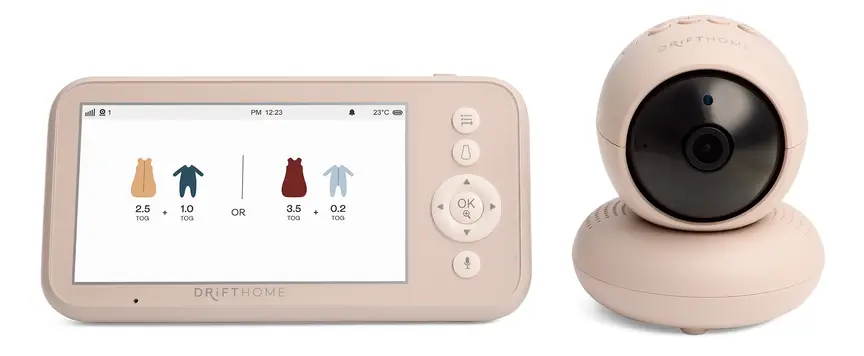
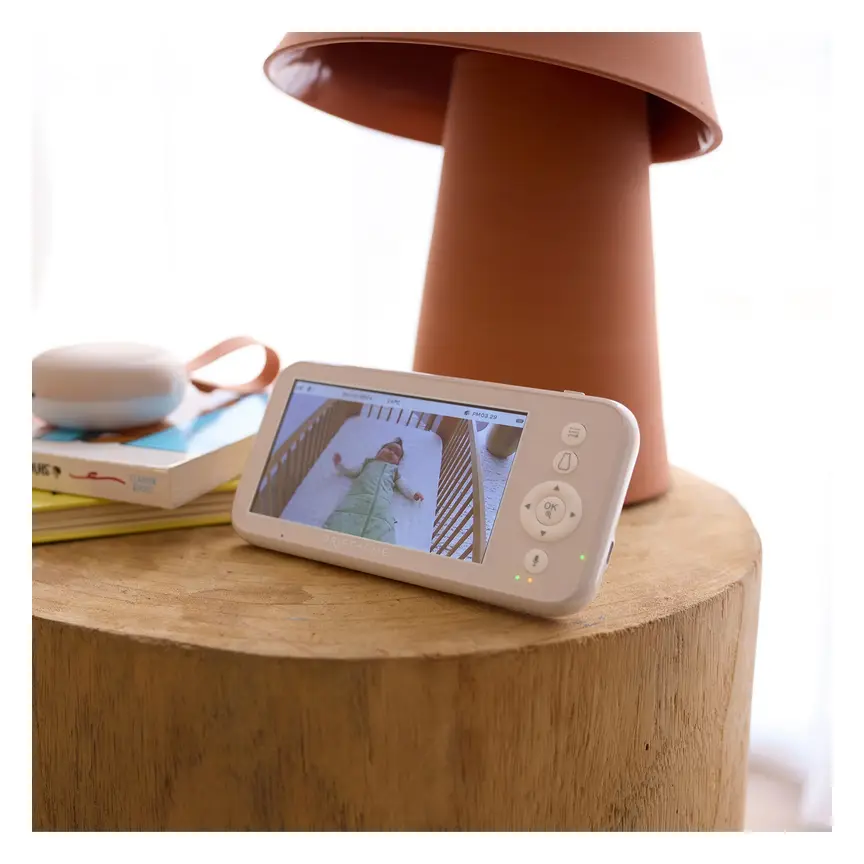
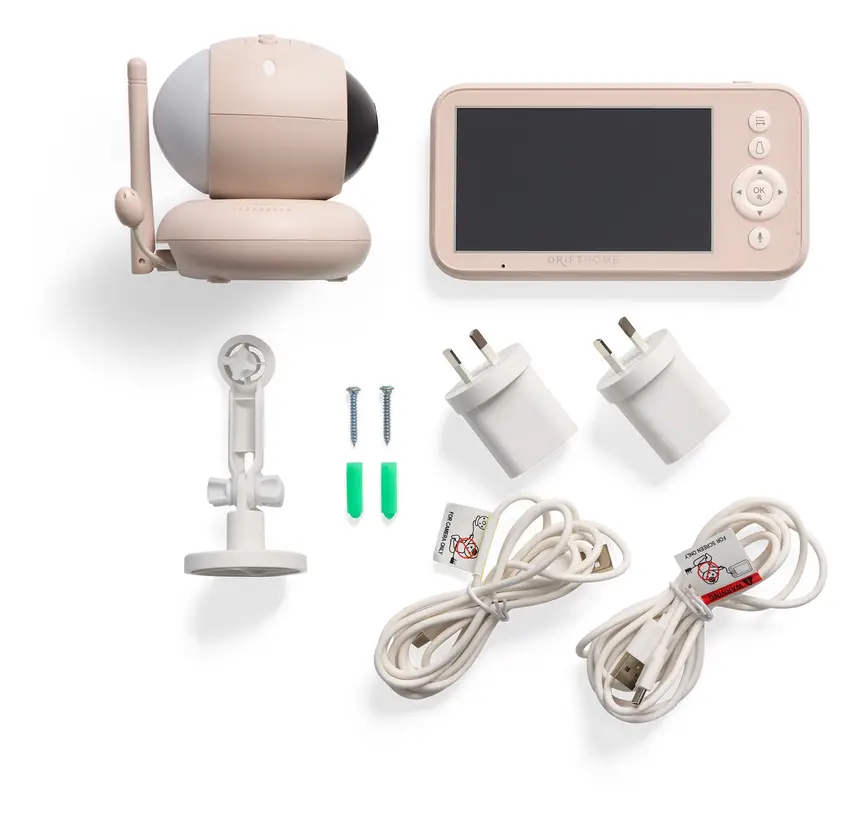
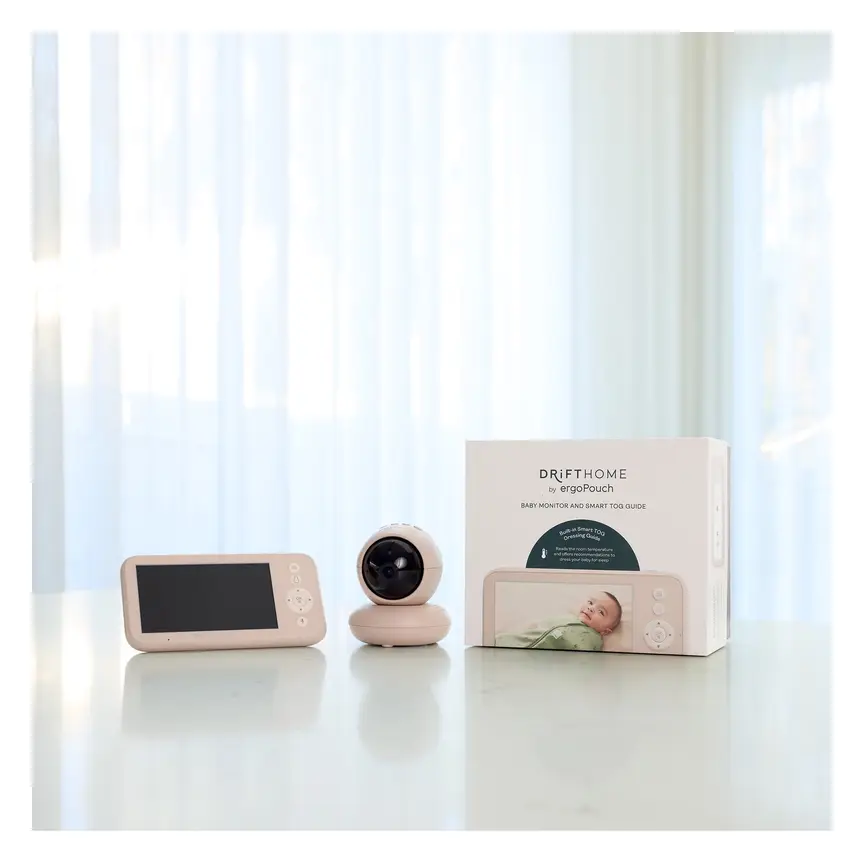

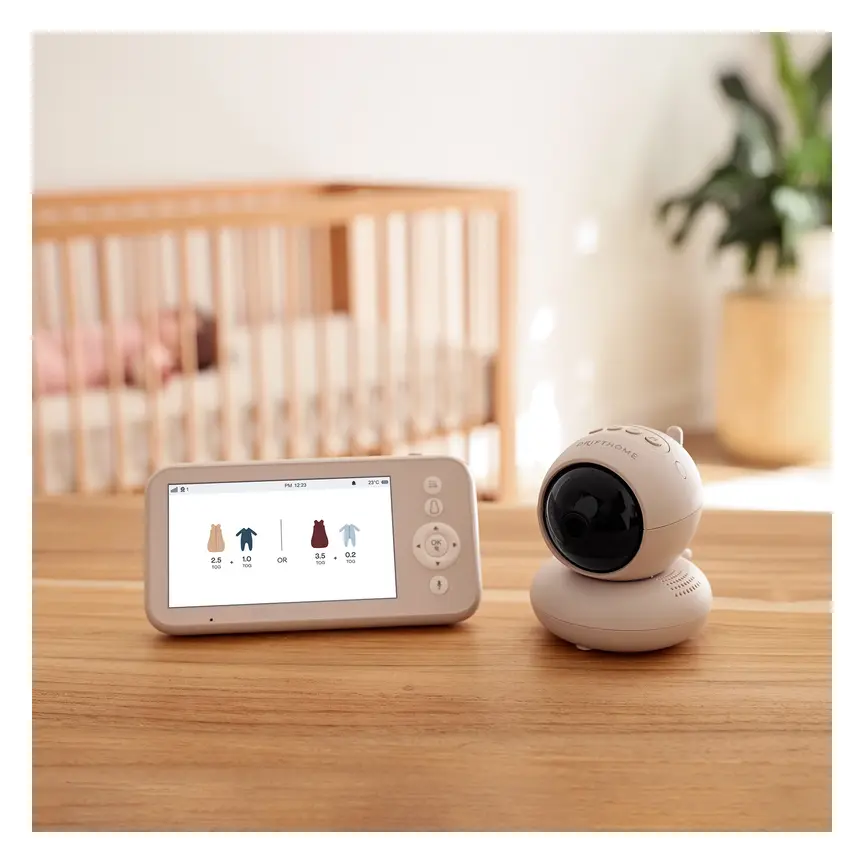
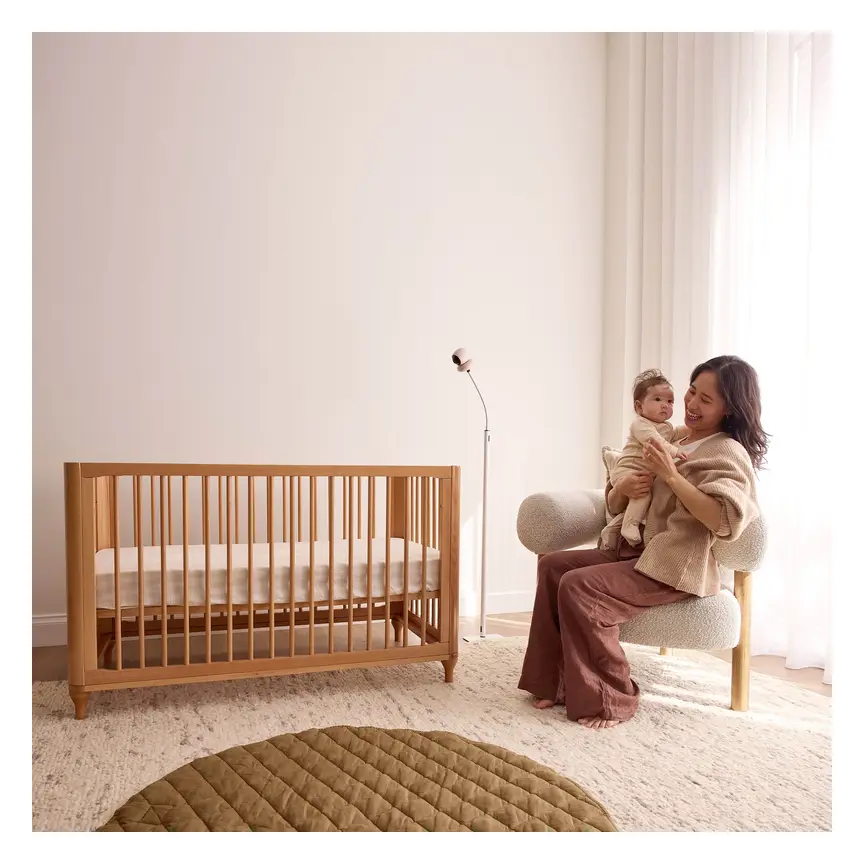

ergoPouch Drifthome Baby Monitor
A non-Wi-Fi monitor with a built-in TOG dressing guide and up to 300 m range.
Read our full review →

Eufy Baby Monitor E20
A monitor that works with or without Wi-Fi. You can share the app with up to 5 family members.
Read our full review →
Eufy Baby Monitor E21
The step-up Eufy monitor. It works with or without Wi-Fi and shares with up to 5 people.
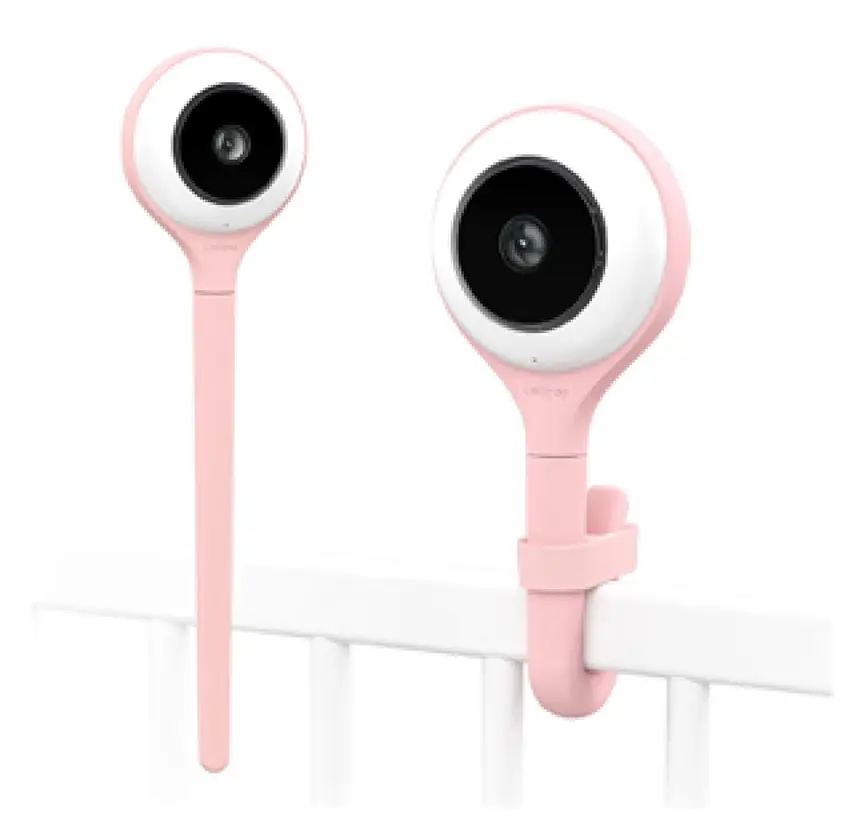
Lollipop Smart Baby Camera
A Wi-Fi camera with AI cry, noise and crossing alerts and 1080p video.
Privacy and Wi-Fi security for smart baby gear
Smart monitors, smart lights, and app-linked toys connect to your home network. If you do not secure them, strangers on the internet could view your camera or talk through the speaker.
Governments in Australia, the UK, the US, and Canada all warn parents to lock down smart nursery gear. The UK has smart device security rules that ban weak default passwords. The US Federal Communications Commission (FCC) runs the U.S. Cyber Trust Mark to help buyers spot safer smart products. Australia's Department of Home Affairs and Canada's Get Cyber Safe team share similar advice.
Take these steps as soon as you unbox any Wi-Fi baby gadget:
- Change the default password: Never leave a factory password like "admin" or "1234". Make a long, unique password just for that device.
- Turn on two-step sign-in: Also called two-factor authentication, this sends a code to your phone before anyone can log in on a new device.
- Update the app and device software: Updates fix security holes. Turn on automatic updates if the app offers them.
- Secure your home router: Use strong encryption on your Wi-Fi network and a strong router password.
- Turn off remote access when you don't need it: If you only use the camera at home, switch off outside-the-home viewing in the app settings.
- Unplug or cover the camera: When your child gets older or you are changing in the room, turn the camera off or point it at the wall.
Battery and power safety in the nursery
Batteries power almost every modern baby gadget. Two battery types need special care in homes with young children.
Button batteries
Button batteries are small, flat, round cells that look like shiny coins. They sit inside many thermometers, sound machines, musical books, remote controls, and light-up toys.
Product Safety Australia warns that if a child swallows a button battery, it can get stuck in the throat and burn through tissue in just two hours. This can cause severe injury or death. Always check that any product using button batteries has a battery door held shut by a screw. Keep spare batteries high up in a locked cupboard. Tape over both sides of flat batteries before you throw them out or recycle them.
Lithium-ion rechargeable batteries
Handheld monitor screens, portable sound machines, and cordless bottle warmers often use rechargeable lithium-ion batteries. Fire and Rescue NSW advises parents to treat these batteries with care so they do not overheat or catch fire.
- Use the charging cable and plug that came with the gadget.
- Charge devices on a hard, flat surface like a desk or kitchen bench.
- Never charge a monitor or toy on a bed, sofa, or cot mattress, where heat gets trapped.
- Unplug the gadget once it is fully charged.
- Stop using any device if the battery swells, smells odd, gets very hot, or leaks.
Baby gadgets by age: what works at each stage
Your baby's needs and risks change fast in the first two years. A gadget that is safe for a newborn can become a hazard once your baby starts grabbing and rolling.
Newborn to 3 months
Newborns sleep a lot and cannot move far on their own. This is when a basic audio or non-Wi-Fi video monitor is most useful. A dim, warm nightlight helps with night feeds. Keep the cot completely clear of toys, sound machines, and sensors. Skip electronic toys, because newborns only need your face, your voice, and high-contrast black-and-white cards or cloth books.
3 to 6 months
Babies start reaching, rolling, and putting everything in their mouths. Check that your baby cannot grab any monitor cords from the cot. Pick simple teething rings and soft rattles with no small parts or loose battery doors. Watch out for noisy light-up toys that flash right in your baby's face.
6 to 12 months
Babies learn to sit, crawl, and pull up to stand. Once your baby can stand in the cot, their reach grows fast. Move monitor cameras higher and further back if needed. Keep all remote controls and battery-powered gadgets off low tables. Simple cause-and-effect toys, like stacking cups and push-button pop-up boxes without batteries, beat flashing screens.
12 to 24 months
Toddlers walk, climb, and copy everything adults do. They love buttons, switches, and phones. Keep spare chargers, power boards, and button-battery gadgets locked away. If your toddler climbs out of the cot or moves to a bed, check every cord in the whole bedroom. For play, choose sturdy blocks, balls, toy kitchens, and board books over tablet apps.
Official safety rules and advice in Australia, the UK, the US and Canada
Safety rules for baby gadgets vary slightly by country, but the core health advice is almost identical. Use this table to see which official body sets the rules where you live.
| Topic | Australia | UK | US | Canada |
|---|---|---|---|---|
| Monitors and SIDS | Red Nose says home monitors do not prevent SIDS | The Lullaby Trust says monitors are not a substitute for safe sleep | AAP says do not use wearable monitors to prevent SIDS | Canadian Paediatric Society promotes safe sleep over gadgets |
| Product safety and recalls | ACCC / Product Safety Australia (mandatory button battery rules) | Office for Product Safety and Standards (OPSS) | Consumer Product Safety Commission (CPSC) | Health Canada (recalls and safety alerts) |
| Toy safety standards | AS/NZS ISO 8124 | BS EN 71 | ASTM F963 | Canada toy safety rules (small parts, magnets, batteries) |
| Smart device security | Department of Home Affairs smart device rules | UK Government smart device security rules | FCC U.S. Cyber Trust Mark | Get Cyber Safe (Government of Canada) |
| Screen time | Raising Children Network: no screens under 2 (except video chat) | NHS / paediatric guidance: limit screens for under-twos | AAP: avoid screens under 18 months (except video chat) | Canadian Paediatric Society: no screen time under 2 |
Toy standards like AS/NZS ISO 8124, BS EN 71, and ASTM F963 check for sharp edges, small choking parts, toxic materials, and battery safety. Buying from trusted local stores helps make sure your gadget meets these rules. Be careful with cheap, unbranded gadgets sold online from overseas sellers, as they may skip safety testing.
Common mistakes parents make with baby gadgets
Even careful parents can slip up when they are tired. Watch out for these six common traps.
- Clipping a camera or sensor to the cot: Anything clipped to the cot rail can fall in or bring a power cord within your baby's reach. Always mount cameras well away from the cot.
- Trusting a wearable monitor over safe sleep: No sock or clip makes tummy sleeping, soft bedding, or overheating safe for a young baby.
- Putting a white noise machine in the cot: Loose objects in the cot raise suffocation risk, and close speakers can hurt tiny ears.
- Leaving default Wi-Fi passwords on: It takes two minutes to set a new password and turn on two-step sign-in. Do it before you turn the camera on in the nursery.
- Forgetting about hidden button batteries: Singing greeting cards, tiny keyrings, and digital bath thermometers often hold button batteries. Check every item that lights up or makes sound.
- Using screens to soothe every fuss: Handing a phone to a crying baby may stop tears for a minute, but babies need human comfort and calm play to learn how to settle.
More options, from budget to premium
Real products from our catalogue. We don't show star ratings or review counts; check the current price, stock and reviews on Amazon before you buy.
 Reviewed
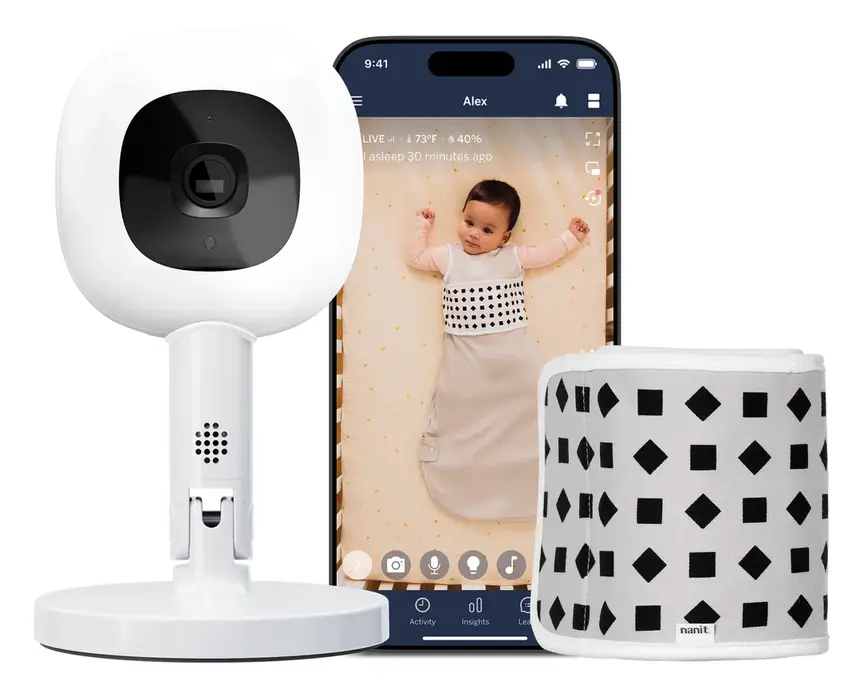
Nanit Pro Camera
Overhead 1080p Wi-Fi camera that tracks sleep and — with patterned Breathing Wear — breathing motion, without any electronics on the baby.
Read our full review →
VTech BM2220 Digital Audio Baby Monitor
A low-cost sound-only monitor with two-way talk, a room temperature sensor and a night light.
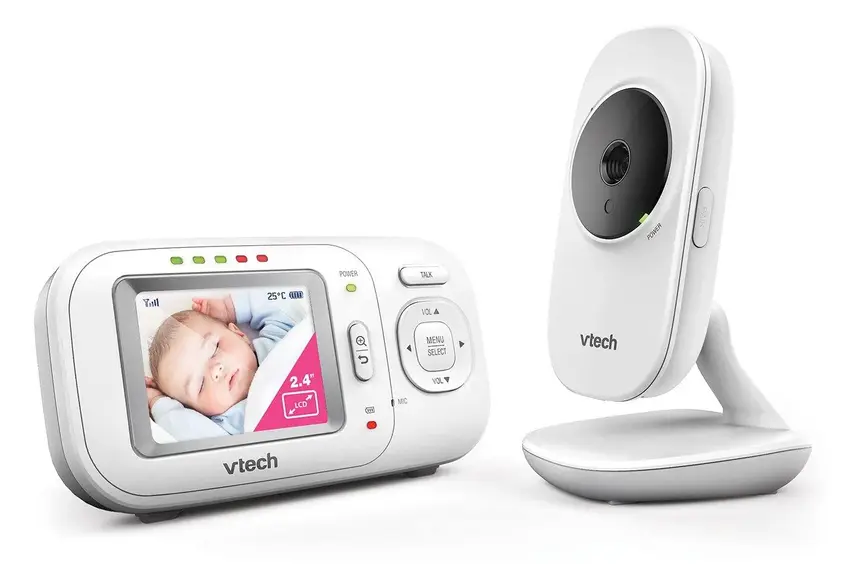
VTech BM2700 Video and Audio Baby Monitor
Non-wifi video monitor
Frequently asked questions
Do I really need a baby monitor?
No. Many parents in small homes can hear their baby clearly without a monitor. Health groups recommend sharing a room with your baby for at least the first six months, and ideally the first year. When you are in the same room, you do not need a monitor at all. A monitor is most helpful when your baby naps in another room, or when you are outside in the yard.
Are Wi-Fi baby monitors safe to use?
Yes, if you set them up properly. Change the default password to a strong, unique one. Turn on two-step sign-in, and install software updates right away. If you do not need to watch your baby from outside the house, a non-Wi-Fi video monitor is an even simpler and more private choice.
Can a breathing or oxygen monitor prevent SIDS?
No. Red Nose (Australia), The Lullaby Trust (UK), and the American Academy of Pediatrics all state that no home monitor has been proven to prevent SIDS. Wearable consumer monitors are not medical devices. The best way to protect your baby is always to follow safe sleep steps: back to sleep, head and face uncovered, smoke-free home, and a firm, flat mattress in a clear cot.
How far should a baby monitor cord be from the cot?
Keep the camera and the entire power cord at least one metre (three feet) away from the cot. Babies and toddlers can pull loose cords through cot bars and get tangled. As your child grows and learns to stand or climb, check the cord distance again.
Are white noise machines safe for newborns?
They can be safe if you keep the volume low and place the machine across the room. Never put a sound machine inside the cot or right next to your baby's head. Turn the volume down so it sounds like gentle rain, not a loud vacuum, and consider using a timer so it turns off after your baby falls asleep.
Do electronic learning toys help babies talk sooner?
No. Babies learn language by listening to real people talk, sing, and respond to their coos and babbles. Electronic toys that talk when a button is pushed do not have real back-and-forth conversations. Plain toys like picture books, blocks, and cups give you more chances to talk and play together.
How do I check if a baby gadget has a button battery?
Look at the back or bottom of the gadget before you buy it. Check the battery compartment label on the box. If it takes round coin-sized cells, make sure the battery door is held shut with a captive screw that stays in the lid. If the door slides open easily without a tool, do not bring it into a home with babies or toddlers.
Sources
- Red Nose Australia – Baby monitors
- The Lullaby Trust (UK) – Baby monitors
- Children's Hospital of Philadelphia – Consumer baby monitors have little proven benefit for healthy infants (2017)
- U.S. Consumer Product Safety Commission – Infants and toddlers can strangle in baby monitor cords (Publication 5066)
- Product Safety Australia – Button batteries guide
- Get Cyber Safe (Government of Canada) – Cyber security tips for your baby gear
- UK Government – Security rules for smart devices (PSTI)
- Raising Children Network – Screen time: babies and toddlers
Related guides
More Toys & Play →
Dual-Camera Baby Monitors for Two Children: Split Screen, Sound From Two Rooms and Battery Life

Electronic and Tech Toys for Newborns: What Is Safe, What Helps, and What to Skip

Smart Toys for Toddlers: How to Choose Safe, Useful Play Gear
