













Quick answer
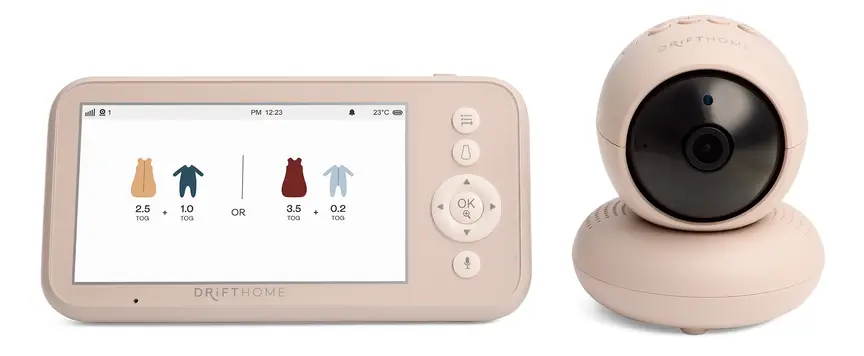
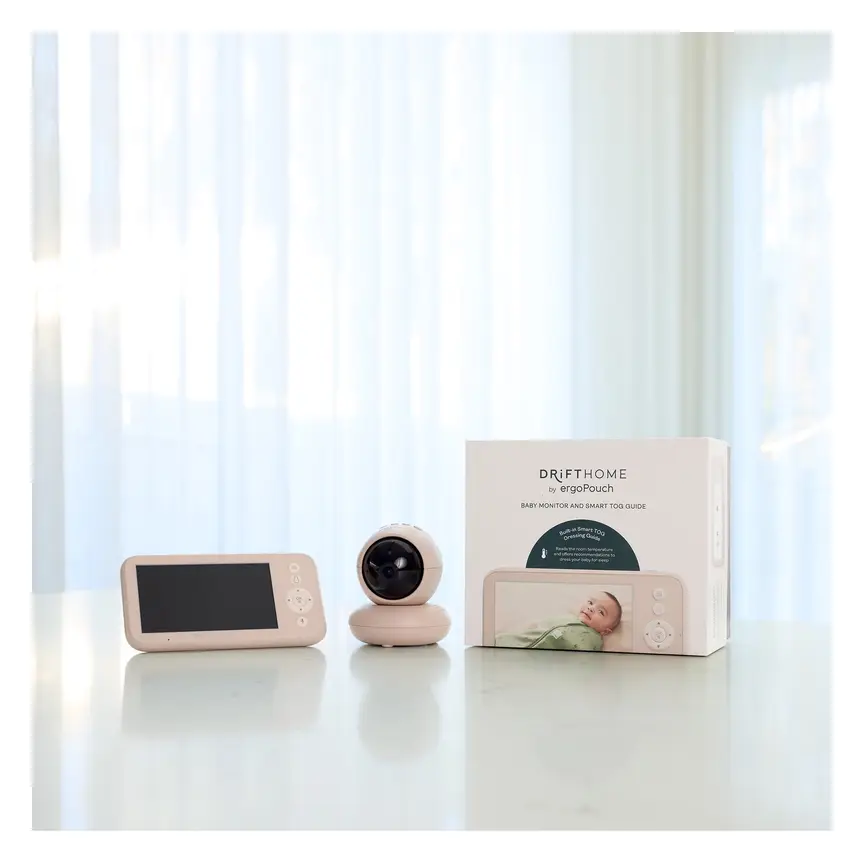
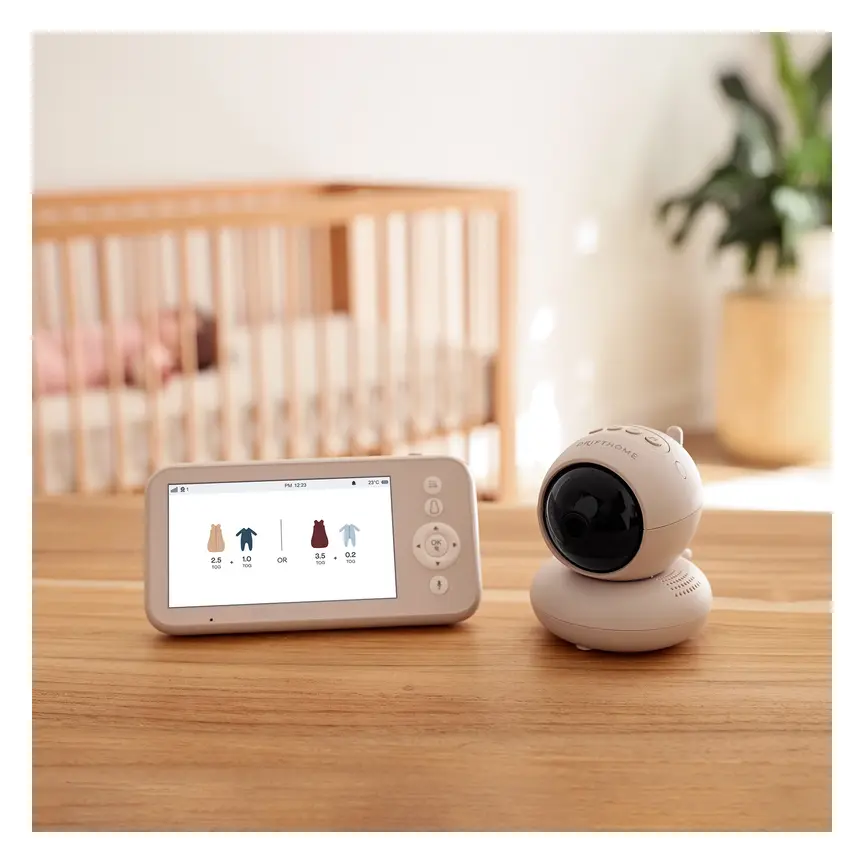
The ergoPouch Drifthome Baby Monitor suits parents wanting video without Wi-Fi. Baby Bunting lists a colour screen, two-way talk and night vision. Its Smart TOG Dressing Guide gives clothing advice. TOG describes how warm sleepwear is. Treat that advice as a guide, then check your baby. The retailer quotes up to 300 m range and up to 34 hours in eco mode. Neither figure promises the same result in your home. Typical price about A$329 (checked Nov 2026). Choose it for a separate screen and dressing help. Consider another type if phone viewing matters. No baby monitor prevents SIDS or SUDI.
Buy it if
- Parents who want a separate screen without Wi-Fi
- Families interested in a built-in dressing guide
- Carers who want talk, light and sound features together
- Parents willing to check signal strength around their home
Skip it if
- You need confirmed phone viewing while away
- You want verified battery life with constant video
- Your main goal is the lowest purchase cost
- You need a medical monitor under clinical advice
What the Drifthome offers
The Drifthome combines video viewing with help choosing sleepwear. That dressing guide is its main point of difference here. The rest of its feature list covers familiar nursery tasks. You can watch, listen, talk and set reminders.
The supplied facts do not give a launch date. They also do not explain changes from any earlier model. We cannot call this an upgrade without that history. This review covers the named Drifthome model in the supplied listing.
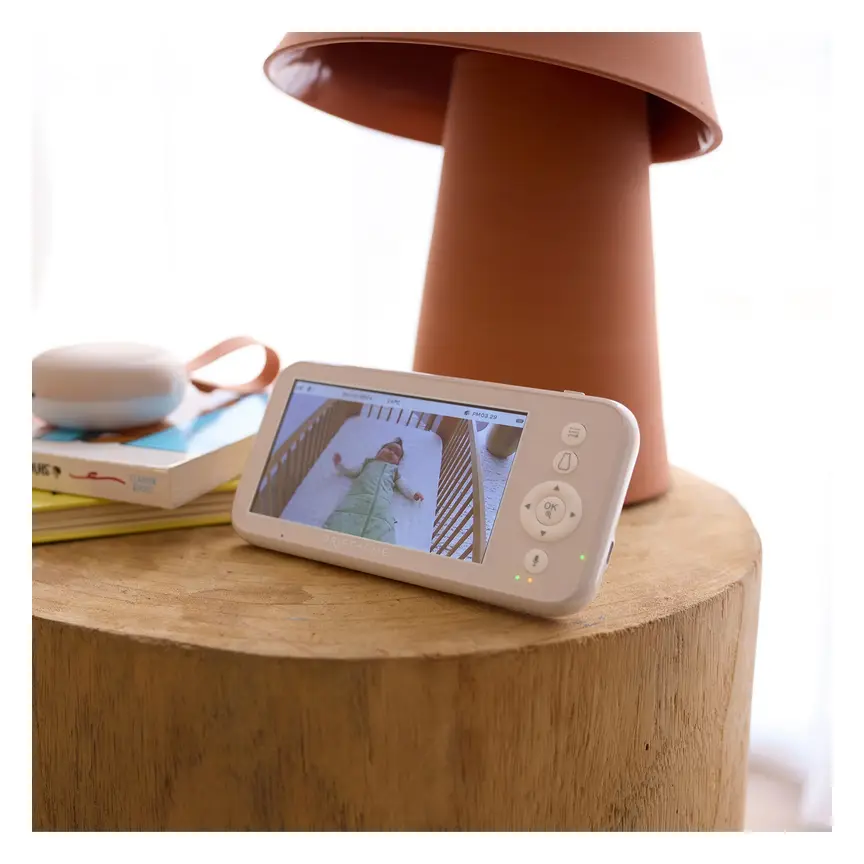
Baby Bunting lists a separate colour screen and no Wi-Fi. That suits parents who want a monitor outside their phone routine. You can assess it as a home viewing tool. The supplied listing does not establish remote phone access.
The dressing guide may help when choosing bedtime clothing. It gives recommendations rather than checking your baby's health. A helpful screen prompt still needs a parent's judgement. Check your baby directly if anything seems wrong.
Our review uses the retailer facts supplied for this page. We have not checked picture quality in a dark nursery. We have not measured signal strength through walls. The scores reflect the listed features and known gaps. They are editorial scores, not customer ratings or test results.
Specifications come from the supplied Baby Bunting listing. Range and battery life are quoted limits. The supplied facts do not explain all test conditions.
Choose it for your routine
Start with how you want to check on your baby. Some parents want a screen beside them at home. Others want phone access when another carer handles bedtime. The Drifthome's confirmed no-Wi-Fi design fits the first need.
It may suit shared care within the home. A separate screen gives carers a clear place to look. Check that everyone knows how its alerts work. Each carer should also know when to check baby directly.
The clothing guide adds a reason to consider this model. It may appeal if bedtime layers often leave you unsure. Still, it cannot make every clothing choice for you. Your baby's condition matters more than a screen suggestion.
Think carefully if you only need to hear crying. A video screen and extra features may add little value. A sound-only option could fit that simpler job. The right choice starts with your needs, rather than features.
Do not choose any monitor as protection against sleep-related death. The Drifthome is a viewing and listening aid. It does not replace safe sleep or direct care. If your baby needs medical monitoring, ask your care team. This listing does not establish the Drifthome as a medical device.
Read the picture and range claims carefully
Baby Bunting lists a 1280 × 720P HD camera. The parent screen is listed as a 5-inch colour display. These figures describe the listed camera and screen. They do not tell us how clear faces look at night.
Automatic infrared night vision is included. The supplied wording quotes clear vision at about 2 m. It also mentions rooms up to 6 m. That wording does not promise clear detail across the whole room. Choose a safe camera spot before judging the view.
The listing also gives 2× and 4× digital zoom. Zoom may help you inspect part of the picture. We cannot score its sharpness from the feature list alone. No sample images were supplied for this review.
The quoted range is up to 300 m. The supplied facts do not give the measuring conditions. Treat it as a quoted maximum, rather than a home guarantee. Check the link wherever you expect to carry the screen.
Try the usual places during your retailer's return window. Check with doors in their normal positions. Listen for alerts as well as watching the picture. If the link drops, check baby before fixing the setup. Ask about return terms before buying, rather than assuming coverage.
Use the dressing guide as a prompt
The Smart TOG Dressing Guide gives real-time clothing recommendations. TOG is a measure of warmth in sleepwear. A higher warmth choice is not always the right choice. Follow the clothing maker's guide alongside safe sleep advice.
This feature could help parents who dislike guessing at bedtime. It brings dressing help into the same device as viewing. That is a useful idea on the supplied feature list. Its accuracy has not been established by the supplied facts.
The listing also includes temperature functions and temperature alarms. It does not give a sensor accuracy figure. It does not explain how each clothing recommendation is calculated. We therefore cannot promise an exact match for every room.
Check your baby rather than relying only on the display. If baby feels too warm, review the clothing and room. Keep the face and head uncovered during sleep. Ask a maternal and child health nurse if unsure.
A clothing prompt is not a health alert. It does not confirm that breathing or body temperature is normal. If your baby seems unwell, seek advice based on their condition. Do not wait for the monitor to raise an alarm.
The guide makes most sense as extra help. It should support your routine without replacing your own checks. Parents wanting proof of better sleep need more evidence. The supplied listing does not establish that outcome.
Battery claims need a clear mode
The rechargeable battery is listed at 5000 mAh. Baby Bunting quotes up to 34 hours in eco mode. The mode matters as much as the headline number. The supplied facts do not explain exactly how eco mode works.
We also lack a figure for constant video viewing. Do not plan your routine around an unconfirmed run time. Read the manual to understand what stays active in eco mode. Check how the screen behaves before relying on it overnight.
Low-battery, lost-link and out-of-range alerts are listed. These are useful features to look for in a monitor. Their presence does not tell us how loud they sound. The supplied facts do not describe their volume or timing.
There are also sound, temperature, feeding and nappy-change alarms. A reminder can help you track a busy routine. It cannot tell you whether your baby needs care now. Respond to your baby, even when no reminder is due.
Keep charging part of a simple daily habit. Check that the screen has power before settling down. Make sure another carer understands the warning symbols and sounds. A feature only helps when you know what it means.
The supplied facts do not confirm battery replacement options. Ask about that if long ownership matters to you. A rechargeable design still needs clear service and care advice.
Useful extras, with a few open questions
Two-way talk lets you speak through the monitor. Whether your baby likes that will be personal. Do not assume a familiar voice through a speaker settles them. Check their response and go to them when needed.
The night light has 3 brightness levels. The display has 8 brightness levels. Those settings offer choices for different routines. The supplied facts do not show how dim either becomes. We cannot judge glare from a feature list.
The sound machine has 5 named options. They are Rainforest, Ocean, White Noise, Heartbeat and Fan. Pick a sound only if it helps your routine. The listing does not establish a sleep benefit for any option. Keep sound gentle and follow the product instructions.
The camera is listed with 360° pan and tilt. The supplied wording does not separate each direction's movement range. We will not turn it into separate movement claims. Read the manual if full room coverage matters.
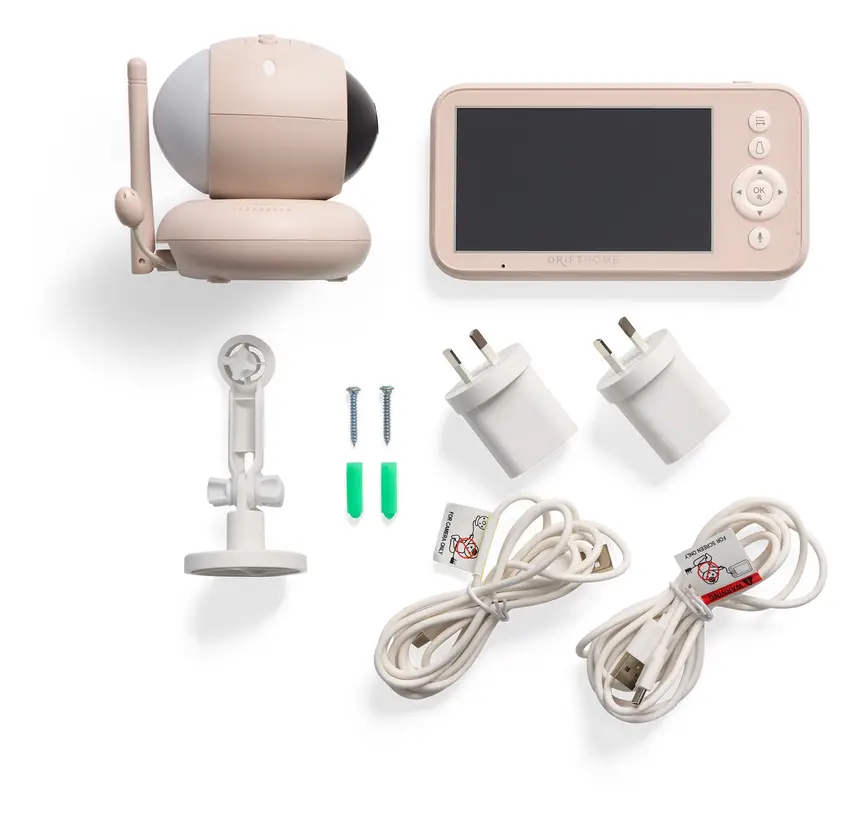
The system supports pairing with up to 4 cameras. Extra cameras are sold separately. Their price and exact compatible models were not supplied. Nor were details about viewing several feeds at once. Check those points before buying for more than one room.
English, Spanish and French language options are listed. That may help carers who prefer different menus. It does not confirm regional sales, support or certification.
The strongest reasons to buy or pause
The Drifthome has a clear theme across its listed features. It brings viewing, dressing help and nursery extras together. Parents who want those tasks in one place may see value. Parents wanting basic sound may prefer a simpler choice.
The main caution is the gap between features and proof. A long range claim cannot map your home. An eco battery claim cannot explain constant screen use. A dressing guide cannot confirm that a baby is comfortable.
That does not make these features unhelpful. It means they need the right place in your routine. Buy for the job the product is confirmed to do. Ask about anything that could change your purchase choice.
Our editorial score reflects that balance. We credit the separate screen and broad feature list. We hold back where performance details are missing. We have no hands-on results or owner reports to add. The score should be read with those limits in mind.
What we love
- No-Wi-Fi design with a separate colour screen
- Built-in Smart TOG Dressing Guide
- Two-way talk, night light and sound choices
- Low-battery, lost-link and out-of-range alerts listed
- Supports pairing with extra cameras
What to weigh up
- Quoted battery life applies to eco mode
- Range conditions are not supplied
- Temperature sensor accuracy is not supplied
- Extra camera prices and viewing options need checking
- No confirmed remote phone viewing in the supplied facts
The same-brand lamp is a different tool
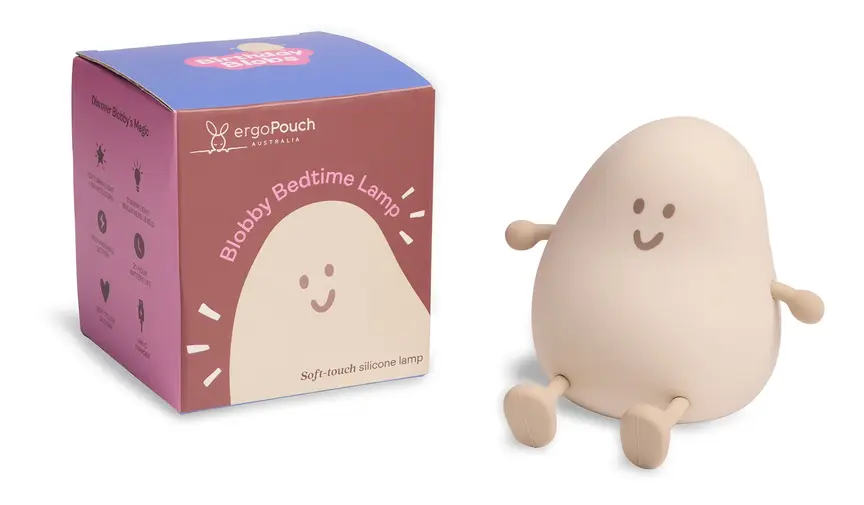
The supplied catalogue includes the ergoPouch Blobby Bedtime Lamp. It is described as a soft glow bedtime lamp. That makes it a lighting option, rather than another monitor.
The Drifthome already has a listed night light. Before buying a separate lamp, decide where light is needed. You may want light near a feed or change area. You may find the monitor's built-in light enough.
There is no supplied evidence linking the lamp and monitor. We cannot say they pair, share controls or work together. Buying from the same brand does not establish those features.
The supplied catalogue price is shown below with its check month. A separate source URL for the lamp was not provided. Its brightness, battery details and cleaning method are also missing. Check the exact product information before choosing it.
You do not need a matching nursery set for safe sleep. Choose each item because it solves a clear problem. Keep lamps, charging leads and other cords beyond baby's reach. Avoid adding items around the cot simply to match colours.
ergoPouch Blobby Bedtime Lamp
Best for: Parents considering separate bedtime lighting
The supplied catalogue describes a soft glow lamp. Typical price about A$30 (checked Nov 2026). Pairing with the Drifthome is not established.
Drifthome against VTech and Eufy
These comparisons start with the supplied catalogue entries. Separate manufacturer or retailer URLs were not supplied for these rivals. Treat them as a shortlist for further checking. They are not the result of side-by-side testing.
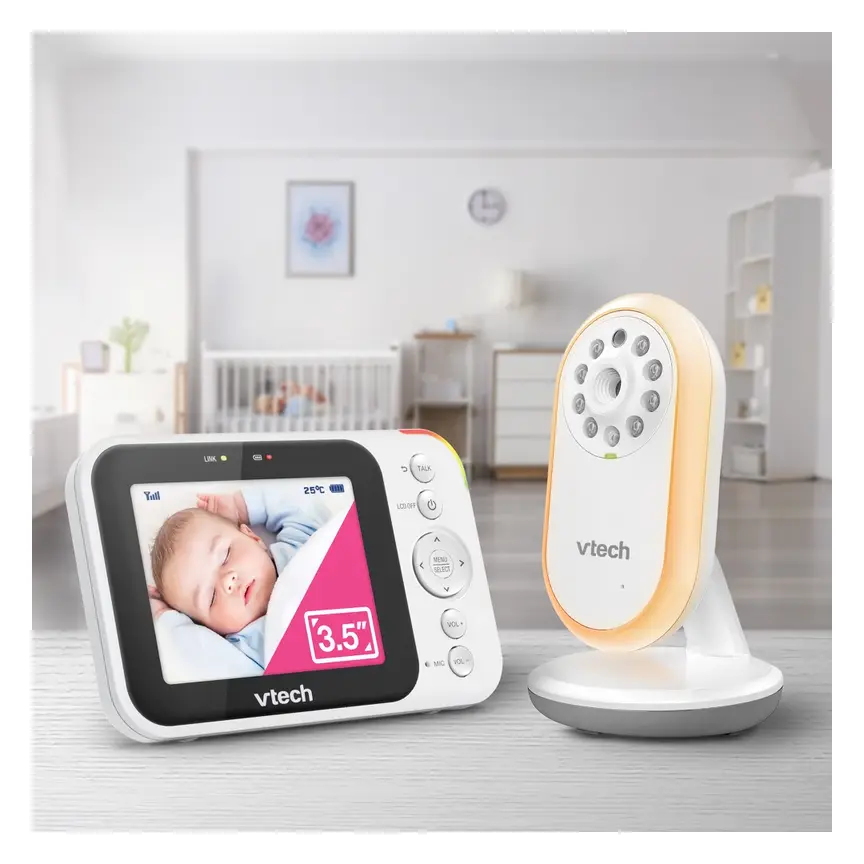
The VTech BM3750N is the lower-priced video option here. Its catalogue entry lists a no-Wi-Fi connection. If your main need is basic viewing, start that comparison there. Check its full feature list before deciding what you would lose.
The VTech BM5850HD is another no-Wi-Fi option. Its entry lists a colour screen and camera movement. The Drifthome's supplied facts add the built-in dressing guide. Whether that guide matters depends on your own bedtime routine.
The Eufy E20 takes a different approach to connection. Its entry lists direct use and a Wi-Fi app. That makes it worth checking if phone access matters. Confirm exactly how its viewing and sharing work before buying.
None of these entries proves better sound or clearer night video. We lack matched pictures, measured alert timing and home range checks. Compare the needs you can name first. Then ask retailers about the gaps that matter most.
| What matters | ergoPouch Drifthome Baby Monitor | VTech BM3750N Video Monitor | VTech BM5850HD Video Monitor | Eufy Baby Monitor E20 |
|---|---|---|---|---|
| Price | Typical price about A$329 (checked Nov 2026) | Typical price about A$159 (checked Nov 2026) | Typical price about A$269 (checked Nov 2026) | Typical price about A$350 (checked Nov 2026) |
| Connection | No Wi-Fi | No Wi-Fi | No Wi-Fi | Direct connection or Wi-Fi app |
| Separate screen | Listed | Listed | Listed | Not described in supplied entry |
| Dressing guide | Smart TOG Dressing Guide listed | Not stated in supplied entry | Not stated in supplied entry | Not stated in supplied entry |
| Camera movement | Pan and tilt listed | Not stated in supplied entry | Motorised pan and tilt listed | Not stated in supplied entry |
| Constant-video battery life | Not supplied | Not supplied | Not supplied | Not supplied |
Drifthome facts have the Baby Bunting source below. Rival details and checked prices come from the supplied catalogue. Separate rival source URLs were not provided. Missing details do not prove a feature is absent.
Spend less, choose premium, or skip video
A cheaper monitor can make sense when your needs are simple. The VTech BM3750N is listed below for that reason. Compare the basics you need before paying for extra tools. A dressing guide has little value if you will not use it.
The supplied catalogue places the Eufy E21 in a premium tier. Its listed connection supports direct use or a Wi-Fi app. That offers a different reason to spend more. The supplied facts do not prove better image or sound quality.
The VTech BM2220 takes a simpler path with audio only. That may suit parents who mainly want to hear baby. You give up a camera view by choosing that type. Decide whether video would change how you respond at home.
A more expensive device does not make sleep safer by itself. A simpler device still needs careful setup and direct checks. Keep the same safe sleep routine with either choice.
The alternatives below use only the supplied catalogue descriptions. Their separate source URLs were not included. Check the exact local model before purchase. Ask about warranty, power needs and returns in your country. Those details can matter more than a longer feature list.


VTech BM3750N Video Monitor
Best for: A lower-priced no-Wi-Fi video option
The catalogue lists a colour screen and night vision. Typical price about A$159 (checked Nov 2026).
Read our full review →
Eufy Baby Monitor E21
Best for: Parents comparing direct use with app access
The catalogue lists use with or without Wi-Fi. Typical price about A$450 (checked Nov 2026). Better picture quality is not established here.

VTech BM2220 Digital Audio Baby Monitor
Best for: Parents who want sound without video
The catalogue lists audio monitoring and two-way talk. Typical price about A$69 (checked Nov 2026).
Check the exact version in your country
The supplied Drifthome record does not name a safety standard. It does not provide a certification document or medical registration. We cannot fill those gaps from the product name. The standards block should not be read as model-specific proof.
For Australia, the supplied source is a Baby Bunting listing. That source supports the facts quoted about this model. It does not establish that every imported version is the same. Ask for the manual and local support details before buying.
For the UK, confirm the exact model with a local seller. Ask about power fittings, warranty and the return process. The supplied facts do not establish UK availability or certification.
The same care applies in the US and Canada. A catalogue region tag is not proof of local approval. A language option is not proof of local support. Check the version you will actually receive.
In Australia, follow Red Nose advice for safe sleep. Elsewhere, follow your local public health guidance. Keep camera cords, blind cords and charging leads beyond reach. Secure the mount and keep equipment outside the cot. Do not use a screen view to justify an unsafe sleep setup.
If monitoring is part of medical care, ask your clinician. The supplied facts do not establish that role for Drifthome. A consumer viewing tool cannot replace a medical care plan.
Questions to answer before you buy
Write down the task you need a monitor to handle. That might be hearing baby from the kitchen. It might be checking a picture while another child needs help. A clear task makes the choice easier.
Next, separate confirmed facts from questions for the seller. The Drifthome has a useful supplied feature list. Some everyday details still need the manual or local support. Ask before purchase if any missing detail could change your choice.
Think through care handovers as well as your own use. Can another carer understand the alerts and charging routine? Do they know where the screen should stay? A short shared routine can help avoid missed messages.
Keep a copy of your receipt and product details. Check the return terms before opening or mounting anything. Do not assume poor signal automatically qualifies for a return. Ask the retailer how home suitability problems are handled.
Finally, plan a safe camera position before settling on a model. A useful picture should not require a risky cord position. The checklist below turns these points into clear buying questions.
- Choose your viewing method
Decide whether a separate screen meets your needs. If phone access matters, confirm it on the exact model.
- Ask how eco mode works
Check what stays active and when the screen wakes. Constant-video battery life was not supplied.
- Check return terms
Ask what happens if the signal does not suit your home.
- Plan safe placement
Keep the camera outside the cot. Route and secure cords beyond baby's reach.
- Check extra camera details
Ask which cameras pair and how their feeds appear.
- Confirm local support
Check the exact version, power adapter, warranty and service contact.
- Read the alerts section
Make sure every carer understands low-power and lost-link warnings.
Do not let useful features become false comfort
The biggest mistake is trusting a feature beyond its role. A picture helps you look at a sleep space. It does not prove that your baby is well. A temperature display does not replace checking your baby.
The same caution applies to silence. A quiet screen or speaker does not settle every concern. Check the connection, sound settings and power as instructed. Go to your baby when something does not seem right.
Avoid building plans around the largest quoted number. Maximum range and eco battery life need their full context. This review does not have every measuring condition. Leave room in your routine for charging and signal checks.
Also avoid buying extras before confirming a real need. A second light may duplicate the built-in night light. Extra cameras need exact compatibility checks. Matching brand names alone do not answer those questions.
Keep the manual where all carers can find it. Review the setup as your baby grows and reaches further. Something once out of reach may need moving later. Safe placement is an ongoing task, rather than a one-off job.
The supplied range is a quoted maximum. Check the link in your usual rooms.
The quoted battery claim is tied to eco mode. A constant-video figure was not supplied.
Use its advice as a prompt. Check your baby and follow safe sleep guidance.
Keep cameras, mounts and cords outside the sleep space and beyond reach.
Confirm local power fittings, support and model details before ordering.
Check baby directly and seek help based on their condition.
Look after the monitor and its records
The listed shell material is plastic. Baby Bunting says not to wash the monitor. Wipe it with a damp cloth if dirty. Follow the manual for power safety before cleaning. Keep liquid away from openings and charging parts.
Inspect the camera position and leads during normal household checks. Look for loose mounts, damaged cables or reachable cord loops. Stop using damaged parts and ask the supplier for advice. Do not assume a similar-looking charger is suitable.
The listing gives a 12-month warranty. It also states lifetime customer service. Those are different promises. Customer service does not establish free repairs for life. Read the full terms and keep proof of purchase.
Battery replacement, repair prices and spare-part supply were not provided. Ask about them if you hope to use it long term. The same applies before buying a second-hand unit. Check that the charger, mount and instructions are included.
For resale, describe the condition and faults honestly. Pass on the model details, manual and supplied accessories. Do not advertise the quoted battery maximum as a measured result. We have no evidence for likely resale value.
A final ownership point is shared understanding. Show each carer how to charge and check the link. Explain that the dressing guide supports their judgement. Keep direct care and safe sleep at the centre of use.
Questions parents ask
Does the ergoPouch Drifthome need Wi-Fi?
No. The supplied Baby Bunting facts describe a no-Wi-Fi monitor. It has a separate colour display for viewing. Phone access away from home is not established here. Do not assume an app is included because the guide sounds smart. If remote viewing matters, check another model's exact features. No-Wi-Fi also does not prove complete security. Security details were not supplied for this review.
What does the Smart TOG Dressing Guide do?
The listing says it gives real-time dressing recommendations. TOG describes how warm sleepwear is. The supplied facts do not explain the guide's full method. They also do not establish its accuracy in every room. Use it alongside the sleepwear maker's advice and direct checks. Keep baby's head and face uncovered. Ask a maternal and child health nurse if dressing remains confusing.
How long does the Drifthome battery last?
Baby Bunting quotes up to 34 hours in eco mode. The listed rechargeable battery is 5000 mAh. A run time for constant video was not supplied. The facts also do not explain all eco mode behaviour. Read the manual before planning overnight use around that figure. Check charging needs in your own routine. We have not measured the battery ourselves.
Will the quoted range work throughout my house?
The listing quotes up to 300 m. That does not establish coverage in your particular home. The supplied facts do not give the measuring conditions. Check signal strength in the places you normally use. Test with doors in their usual positions. Ask about return terms before purchase. Lost-link and out-of-range alerts are listed, but check how they work.
Does the Drifthome have night vision and zoom?
Yes. The supplied listing includes automatic infrared night vision. Clear vision is quoted at about 2 m. It also lists 2× and 4× digital zoom. These details do not prove image sharpness in your room. We have not viewed sample footage or tested dark-room performance. Keep the camera safely outside the cot when setting its view.
Can I add another camera to the Drifthome?
The listing says it pairs with up to 4 cameras. Extra cameras are sold separately. Their prices and exact model names were not supplied. Details about showing several feeds were also missing. Ask the seller which cameras match your unit. Confirm how you switch views and hear each room. Do not assume a split-screen feature from camera support alone.
Does this baby monitor prevent SIDS or SUDI?
No. A baby monitor does not prevent SIDS or SUDI. A screen cannot make an unsafe sleep space safe. Follow Red Nose safe sleep advice in Australia. Keep baby on their back on a firm, flat surface. Keep the face clear and loose items out. Keep all monitor cords beyond reach. Seek medical advice if you have health concerns about baby.
How does the Drifthome compare with cheaper VTech monitors?
The supplied catalogue includes cheaper VTech video options. Its BM3750N and BM5850HD entries both describe no-Wi-Fi connections. Drifthome's listed dressing guide gives a reason to compare further. That does not prove better picture quality or sound. Separate rival source URLs were not supplied. Use the comparison as a shortlist, then check current local product pages. Choose based on features you expect to use.
Can I buy the same Drifthome in the UK, US or Canada?
The supplied facts do not establish local availability or certification. The detailed source is an Australian retailer listing. Check the exact version with a seller in your country. Ask about its power adapter, warranty and support. English, Spanish and French menus do not prove regional approval. A catalogue region tag does not establish those details either. Avoid assuming imported versions have identical support.
How do I clean it, and what warranty is listed?
The supplied cleaning advice says not to wash it. Wipe with a damp cloth if dirty. Follow the manual for power safety and further care steps. The listing gives a 12-month warranty and lifetime customer service. Lifetime service does not mean a lifetime repair warranty. Keep your receipt and read the full terms. Battery replacement and repair costs were not supplied.
More in-depth reviews
 🪑 Highchairs & Booster Seats4baby Flat Fold Highchair Review7.5/10
 🪑 Highchairs & Booster Seats4baby Grow With Me Wooden Highchair Review7.8/10
 🚼 Prams & StrollersBaby Jogger City Tour 2 Review8.4/10
 🎠 Bouncers, Rockers & SwingsBabyBjörn Bouncer Balance Soft Review8.2/10
 🎠 Bouncers, Rockers & SwingsBabyBjörn Bouncer Bliss Review8.6/10
 🤱 Baby Carriers & WrapsBabyBjörn Carrier Hold Review8.0/10
Sources & how we checked
Specifications are taken from the manufacturer and major retailers and cross-checked; prices are typical RRPs and change often — the buttons show today's price. We do not invent star ratings or review counts.
BabyGearFinder earns a commission from qualifying purchases through retailer links, at no extra cost to you. It never changes our verdict.