














Technology for New Parents: Helpful Tools, Safe Choices and Screen Time
A plain guide to parenting apps, baby monitors and smart devices: what they can help with, privacy and safety checks, and screen time for young children.

On this page
- What technology can and cannot do
- Simple tools for the early months
- Baby monitors: what to consider
- Privacy and security for connected baby gear
- Apps for routines, feeding and development
- Screen time for babies and toddlers
- Choosing a tool: comparison table
- Choosing products and checking recalls
- Age stages and changing needs
- Common mistakes to avoid
- Official guidance in Australia, the UK, the US and Canada
- Frequently asked questions
- Sources and further guidance
- Sources
Short answer: Technology can help with reminders, records and staying in touch. It cannot replace watching, holding or caring for a child. Start with a clear need before choosing an app or device. Check privacy settings, product recalls and safe use instructions. For babies and toddlers, real talk, play and rest matter more than screens.
There is no single set of gadgets every family needs. A notebook, shared calendar or phone alarm may be enough. Some families find a feeding log or video monitor useful. Choose tools that make a task easier without adding worry or taking attention away from your child.
What technology can and cannot do
Parenting tools can help adults share information and remember tasks. A feeding or medicine record may help you describe a pattern to a health professional. A shared calendar can help caregivers plan visits and appointments. A video call can help a child talk with a family member who lives far away.
These tools offer support. They do not tell you everything about a child's health or needs. An app cannot diagnose an illness. A monitor cannot guarantee that a sleeping baby is safe. A device reading should not replace advice from a doctor, nurse or other qualified health worker.
Technology can also add work. Notifications may interrupt family time. Charts may make normal changes look worrying. Some services ask for personal details that are not needed for the task. It is fine to stop using a tool that causes stress or does not help.
Before downloading an app or buying a device, ask:
- What exact task should it help with?
- Can a simpler tool do the same job?
- Will another caregiver need access?
- What information does it collect?
- Can I use it without constant alerts?
- What will I do if it stops working?
Simple tools for the early months
Newborn care can involve feeding, nappy changes, sleep and medicine instructions. When more than one adult shares care, it can be hard to remember who did what. A simple record can help. It may be a paper chart, a note on a phone or an app.
Keep the record short. Write down only details that help your family or care team. You might note a feed, a wet nappy or a dose of medicine. Follow the advice of your health professional about what to track. Do not use an app's growth chart or prediction as a medical assessment.
Protect the information. A feeding log can include your child's name, birth date and health details. Use a strong password, limit who can see the record and remove access when it is no longer needed. Check whether the app stores information online and how you can delete it.
For bottle feeding, use trusted health guidance for making, storing and handling formula. A timer can remind you about a task, but it cannot make unsafe food safe. Follow the instructions from your health service and the formula maker. For expressed breastmilk, follow guidance from a reliable breastfeeding or health service.
A shared calendar can help with appointments and caregiver handovers. It can also hold a short list of questions for a health visit. Keep urgent health concerns out of a calendar app. Contact a health service directly if you need advice.
Baby monitors: what to consider
A monitor sends sound or video from one room to another. Some use a separate parent unit. Others connect to a phone through the internet. Families may use one to hear a child while they are in another part of the home.
A monitor does not prevent sudden infant death or make an unsafe sleep space safe. The Lullaby Trust and Red Nose explain the limits of consumer monitors. For a healthy baby, a monitor should not replace safe sleep guidance or a caregiver's judgement.
Some products claim to track breathing, oxygen or movement. These readings can be wrong. A reading may cause alarm, or it may give false comfort. Do not use a consumer device to diagnose or treat a child. If a health professional has recommended medical monitoring, ask which device to use and how to respond to its readings.
Think about the room and the device before setting it up:
- Keep cords, chargers and straps well away from the cot and your child's reach.
- Place the camera where it cannot fall into the cot.
- Keep the cot clear, with no device attached where a child can grab it.
- Use the monitor as directed by its maker.
- Test the sound or video from the place where you will use it.
- Have another way to check on your child if the power or network fails.
Use a monitor only if it helps your family. If you find yourself checking it all night, consider whether it is adding stress. Talk with a health professional if worry about your baby's health is making it hard to rest.
Privacy and security for connected baby gear
A connected monitor, camera or toy may send information over the internet. This can include video, sound, account details or device use. Before you buy or set it up, find out what information it collects and who can access it.
Use a unique password for each account. Turn on extra sign-in checks if they are offered. Install software updates from the maker. Remove accounts for people who no longer need access. Turn off remote viewing if you do not use it.
Do not share a live camera link publicly. Avoid posting a child's full name, location or daily routine alongside images. Review the privacy settings on family social media accounts. Ask other caregivers not to share photos without your agreement.
Check the maker's support and update policy. A product may become less secure when updates stop. If you cannot change the default password, cannot tell who has access, or cannot get security information, choose another option when possible.
Keep devices and charging cables out of reach. Do not charge a device on bedding or near a cot. Follow its charging instructions. For battery safety, use the correct charger and stop using a battery that is swollen, damaged or unusually hot. Keep button batteries and loose battery parts away from children.
Apps for routines, feeding and development
Routine apps can hold notes, reminders and appointments. They may help when caregivers share tasks. They work best when the information stays clear and useful. A long list of alerts can make a busy day harder.
Choose one place for shared notes, if that suits your family. Agree on what each person will record. Keep private health information limited to the people who need it. Back up important details in a way you can still reach if a phone is lost.
Development apps may offer play ideas or describe common milestones. Children develop at different rates. An app cannot assess your child's development. If you have concerns about movement, hearing, speech, feeding or behaviour, speak with a health professional. Do not wait for an app to confirm a concern.
Some apps provide parenting advice from people whose training is unclear. Check who wrote the advice and whether it links to a trusted health service. Be cautious about claims that a product will make a baby sleep through the night, prevent illness or speed up development.
Use online parent groups with care. They can help people feel less alone, but advice from strangers may not fit your child. Do not post private medical details in a public group. Check important health information with a qualified professional.
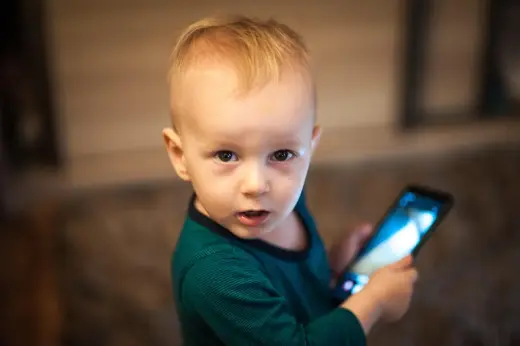
Screen time for babies and toddlers
Young children learn through people and hands-on play. They need time to move, explore objects, hear language and rest. Screens can take time away from these activities when they are used for long periods or left on in the background.
For babies, choose face-to-face play and talk during daily care. Point out what you are doing. Sing, read, make eye contact and respond to sounds. A video call with a family member can be a shared activity when an adult helps the baby join in.
For toddlers, watch together when you use a screen. Talk about what you see. Choose calm, age-suitable content from sources you trust. Stop when the planned activity ends. Make time for active play, books, meals and sleep without a screen.
Try not to use a screen as the only way to settle every upset or fill every quiet moment. Children can learn other ways to calm down with an adult's help. A screen may be useful during a long journey or a difficult moment. Keep it as one tool among many.
Turn off background television when nobody is watching. Keep phones away during meals and conversation when you can. Set device-free times that work for your family. The goal is a healthy mix of sleep, movement, play and connection.
Choosing a tool: comparison table
| Tool | Possible use | Limits to remember | Safety or privacy check |
|---|---|---|---|
| Paper notebook | Record feeds, care tasks or questions | Can be misplaced or hard to share | Store it where visitors cannot read private details |
| Phone notes or calendar | Reminders and shared appointments | Alerts can interrupt; phones can be lost | Use a screen lock and share only with trusted people |
| Feeding or care app | Keep a shared record between caregivers | It cannot assess health or replace clinical advice | Check data collection, access and deletion choices |
| Sound monitor | Hear a child from another room | It cannot prevent harm or replace safe sleep | Keep cords and equipment away from the cot |
| Connected video monitor | View a room from a parent unit or phone | Needs power; internet features can raise privacy concerns | Change passwords, update software and limit access |
| Health tracking wearable | May show a reading from a sensor | Readings may be wrong and are not a diagnosis | Use only with advice from a health professional when needed |
| Video call | Help a child see family who live far away | It is different from in-person play | Use a private call and stay with young children |
The best choice is the one that solves a real problem safely. It may be a low-cost tool you already own. You do not need a separate app for every part of family life.
Choosing products and checking recalls
Buy from a seller you can contact. Read the instructions before first use. Check the age and use limits. Look for warnings about cords, small parts, heat, water and batteries. Make sure the product suits your home and the adults who will use it.
Check official recall notices before buying used baby gear and from time to time after purchase. A second-hand product may be missing parts or instructions. Ask for the model name and check its history. Do not use a product with damage, missing safety parts or an unknown repair.
Be careful with online claims. A video monitor or app may be marketed as giving peace of mind. That phrase does not prove it can detect a health problem. Ask what the device measures, what it cannot measure and what evidence supports the claim. If the maker does not explain this clearly, treat the claim with care.
Keep receipts and product details. They can help if a product is recalled or needs support. Register a product with the maker when that service is offered. Sign up for recall notices from your country's product safety body.
Age stages and changing needs
| Stage | Tools that may help | What to keep in mind |
|---|---|---|
| Pregnancy and preparation | Shared list, calendar, trusted health information | Buy only what you expect to use; check safety guidance first |
| Newborn months | Simple care record, feeding reminders, sound monitor if useful | Keep sleep safe; logs and monitors do not replace care |
| Older baby | Shared appointments, play ideas, video calls | Make room for floor play, movement and face-to-face talk |
| Toddler years | Family calendar, selected video calls, shared screen activity | Set screen limits that protect play, meals and sleep |
These stages are guides, not deadlines. A family's needs change with work, health, childcare and support. Review your tools when they stop helping or your child becomes more mobile.
Common mistakes to avoid
- Buying before naming the need. Write down the task first. Then compare simple options.
- Treating a device reading as a diagnosis. Ask a health professional about symptoms and concerns.
- Trusting a monitor to keep a baby safe. Follow safe sleep advice and use the cot as directed.
- Sharing passwords. Give each caregiver their own access where possible. Remove access when it is no longer needed.
- Leaving cords near the cot. Place cables and devices well outside a child's reach.
- Using screens to fill every pause. Offer talk, play, books or rest too.
- Keeping every alert switched on. Turn off alerts that do not help with care.
- Using advice without checking its source. Prefer government health services and recognised child health bodies.
- Ignoring recalls or updates. Keep product details and check official notices.
- Sharing a child's private life online. Think about who can see an image and how long it may remain available.
Official guidance in Australia, the UK, the US and Canada
Rules and services differ by country. For product safety in Australia, check Product Safety Australia and the ACCC. For child health and safe sleep, Red Nose and Pregnancy, Birth and Baby offer family guidance.
In the UK, the Office for Product Safety and Standards oversees product safety work. The NHS provides health advice, and The Lullaby Trust gives safe sleep information. In the US, the Consumer Product Safety Commission handles product safety, while the American Academy of Pediatrics provides child health advice. In Canada, Health Canada covers product safety, and the Canadian Paediatric Society shares child health guidance.
For connected baby gear, the Australian Government's smart device security information and the UK Government's rules for connected products can help families understand basic security expectations. Canada's Get Cyber Safe also offers advice for connected baby gear. In the US, the Federal Communications Commission provides information about its Cyber Trust Mark.
These bodies do not approve every app or device. Check the maker's instructions and your local guidance. For medical concerns, contact a health professional in your area.
Frequently asked questions
Do I need a baby tracking app?
No. Some families find one useful, while others prefer paper or memory. Choose a tool only if it makes care easier. Ask your health professional what details are useful to track.
Can a baby monitor prevent sudden infant death?
No consumer monitor can promise that. A monitor does not replace safe sleep advice or supervision. Red Nose and The Lullaby Trust explain what monitors can and cannot do.
Are breathing or oxygen monitor readings reliable?
Consumer readings can be wrong. They may cause worry or give false comfort. Do not use them to diagnose a child. Ask a health professional if monitoring is needed for a medical reason.
How can I make a connected monitor more private?
Use a unique password, install updates and limit account access. Turn off remote viewing when you do not need it. Do not post public links to a camera feed.
Is a video call screen time?
It uses a screen, but it can help a child connect with a distant family member. Stay nearby and help the child take part. Balance calls with play, talk and rest.
Should babies use educational apps?
Babies learn from people and hands-on experiences. An app is not needed for development. Talk, sing, read and play with your baby during everyday routines.
What should I do if an app makes me anxious?
Turn off alerts or stop using it. Keep only records that help your care team. If worry about your child's health continues, speak with a health professional.
How much screen time is right for my toddler?
Follow guidance from a trusted health service in your country. Keep screens from taking the place of sleep, movement, play and time with people. Watch together when your toddler uses a screen.
Can an app tell me whether my child is developing normally?
No. Apps may share general information, but they cannot assess your child. Contact a health professional if you have concerns about development.
Sources and further guidance
- Get Cyber Safe (Government of Canada) – Cyber security tips for your baby gear
- Australian Department of Home Affairs – Security standards for smart devices
- UK Government – Security rules for smart devices
- Federal Communications Commission (US) – U.S. Cyber Trust Mark
- Red Nose Australia – Baby monitors
- The Lullaby Trust (UK) – Baby monitors
- Raising Children Network – Screen time: babies and toddlers
This article gives general information. It is not medical advice. Talk with a qualified health professional about your child's health. Some links may be affiliate links. BabyGearFinder may earn a commission if you buy through them, at no extra cost to you.
Sources
- Australian Department of Home Affairs – Security standards for smart devices
- UK Government – Security rules for smart devices (PSTI)
- Federal Communications Commission (US) – U.S. Cyber Trust Mark
- Red Nose Australia – Baby monitors
- The Lullaby Trust (UK) – Baby monitors
- Raising Children Network – Screen time: babies and toddlers
Related guides
More Parental Tips →
From Screen Time to Learning Time: How Tech Toys Can Help Your Child Grow
Screen Time for Toddlers: Simple Ways to Find a Healthy Balance

All-in-One Baby Food Makers and Processors: Time-Saving Tips and Food Safety for New Parents
